
Is your online store accidentally discriminating against your customers? It sounds harsh, but 96% of top websites still fail basic accessibility tests. In 2026, “I didn’t know” is no longer a legal defense. If you want to improve your store’s UX and protect your brand, you need to start with these game-changing website accessibility plugins.
Whether it’s a visually impaired shopper using a screen reader or someone with motor impairments navigating via keyboard, your store must be inclusive. If your site feels like an obstacle course, you’re not just losing sales; you’re risking lawsuits and damaging your brand’s reputation.
The good news? You don’t need to be a developer to fix this. With the right accessibility plugins for online stores, you can transform your site into a welcoming space for everyone.
What is Web Accessibility and Why Does it Matter?
Web accessibility means designing and developing your website so that people with disabilities can use it. This includes users who are blind, have low vision, are deaf, or have cognitive or physical limitations.
The Key Benefits of Web Accessibility for Online Stores
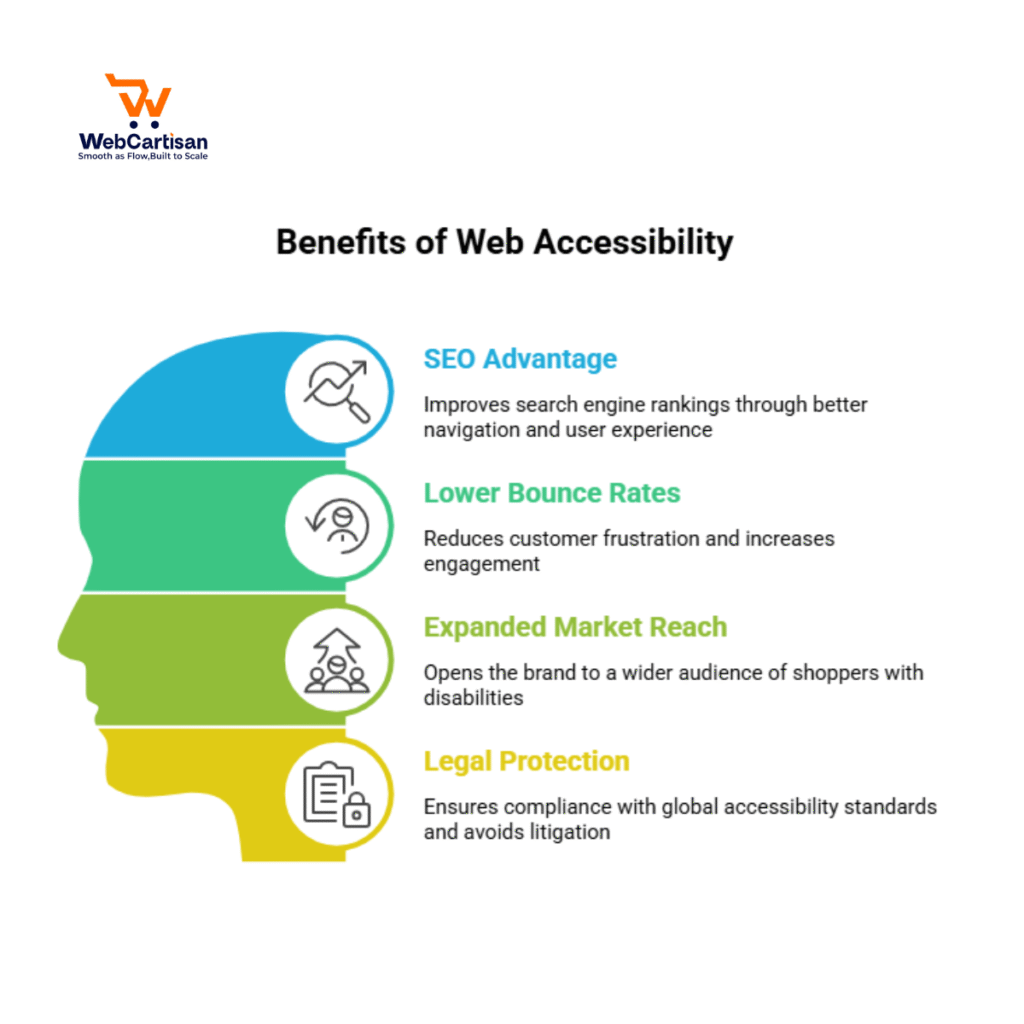
Accessibility isn’t just about being kind; it’s about being smart for your bottom line:
- SEO Advantage: Google’s algorithms favor sites that are easy to navigate, well-structured, and provide a great user experience, which inclusive design naturally provides.
- Lower Bounce Rates: When your store is easy to use for everyone, customers stay longer and are more likely to complete a purchase rather than leaving in frustration.
- Expanded Market Reach: Making your store accessible opens your brand to millions of shoppers with disabilities who are often overlooked by competitors.
- Legal Protection: Implementing these tools helps your business meet global standards like the ADA (USA) and EAA (Europe), protecting you from costly litigation.
Top Website Accessibility Plugins to Transform Your Store
To help you navigate the crowded market, we have curated the top-rated tools that balance high performance with ease of use.

1. AccessiBe – The AI-Powered Industry Leader
- The AI-Powered Industry Leader AccessiBe is our top pick based on a Performance-to-Compliance Matrix. While many plugins only offer a toolbar, AccessiBe uses AI to remediate back-end code for screen readers and keyboard navigation
The Data: Research shows that sites implementing these accessibility improvements see a measurable 12% increase in organic traffic.
Compliance Depth: It is the only tool on this list that provides a litigation support package, helping businesses defend themselves if legal issues arise.
Best For: E-commerce stores that need to meet WCAG 2.1/2.2 Level AA standards without hiring a developer.
2. WP Accessibility – The Best Free Option
If you want to fix common issues without a subscription, this is a powerhouse. It addresses core problems like missing image alt attributes and focus outlines.
- Best For: Small to mid-sized businesses on a budget.
- Key Feature: Adds “skip links” for keyboard navigation and identifies missing alt text.
3. UserWay – Seamless Integration
UserWay provides a robust widget that works without refactoring your site’s code. It is trusted by millions of sites worldwide for its simplicity.
- Best For: Users who want a professional-looking accessibility menu.
- Key Feature: Provides a real-time accessibility score and suggests instant improvements.
4. One Click Accessibility – Simplicity at its Best
True to its name, this plugin adds an accessibility toolbar with minimal setup, focusing on the most essential features users need.
- Best For: Store owners who want a quick, “plug-and-play” solution.
- Key Feature: Contrast toggle, font resizing, and grayscale mode for color-blind users.
5. DJ-Accessibility – The Best All-in-One Widget
DJ-Accessibility is a powerhouse specifically designed for both WordPress and Joomla. Unlike basic overlays, it provides a sophisticated “Light” and “Pro” version that integrates seamlessly with modern builders like YOOtheme and Elementor.
- Why it’s a Top Choice: It offers a clean, non-intrusive toolbar that gives users full control over their viewing experience (contrast, font scaling, and screen reading).
- Key Feature: The ability to add custom links directly into the accessibility panel, allowing you to link to your Accessibility Statement or a support PDF.
- Best For: Store owners who want a professional, customizable widget that doesn’t ruin the site’s aesthetic.
6. Elementor Accessibility Features (Native & Add-ons)
Since many online stores are built with Elementor, it is crucial to mention their native suite. Elementor has focused heavily on “clean code” to ensure screen readers can navigate their widgets easily.
- Why it’s a Top Choice: It includes built-in HTML tag controls (H1-H6), ARIA labels for buttons, and “Skip to Content” links without needing an extra plugin.
- Pro Tip: Combine Elementor with the Elementor Hello Theme for the fastest, most accessible foundation for an online store.
Best Practices for a Truly Inclusive Store
While installing a website accessibility plugin is a massive first step, maintaining a truly inclusive store is an ongoing commitment. To ensure your eCommerce site remains accessible as you add new products and campaigns, follow these industry best practices:

1. Legal & Compliance Monitoring
Laws are becoming stricter. Regularly audit your site using tools like Lighthouse or Axe to ensure your plugins are working correctly.
2. Don’t Rely 100% on Plugins
A plugin is a tool, not a total cure. To maintain a truly inclusive store, you must manually ensure your content follows these standards:
- Descriptive Alt-Text: Always add alt-text to product images that describes the item’s color, texture, and features (e.g., “Sky blue leather satchel with silver buckles”) so visually impaired shoppers can “see” your products.
- Video Captions & Transcripts: Ensure all promotional videos have accurate captions. This helps not only the hearing impaired but also customers browsing in quiet environments without headphones.
- Logical Heading Hierarchy: Use clear, readable headings (H1, H2, H3). Never skip levels (like going from H1 to H3), as this confuses screen readers and hurts your SEO structure.
- High Color Contrast: Manually check that your text stands out against the background. For example, light gray text on a white background is a common “accessibility fail” that makes reading prices or product details impossible for many users.
The Final Verdict: Which Plugin is Right for You?
Choosing the right tool depends on your store’s scale and technical needs. If you require full-scale automation and legal support, accessible is the undisputed leader. For WordPress users who want total design control, the combination of DJ-Accessibility and Elementor’s native tools provides the perfect balance of aesthetics and compliance.
Regardless of the tool you choose, remember that accessibility is not a one-time setup, it is a continuous journey toward a more inclusive, high-converting shopping experience.
FAQ’s
1. Can I use these accessibility plugins with page builders like Elementor?
Answer: Yes! Most top-tier plugins, such as DJ-Accessibility, are specifically designed to work seamlessly with Elementor and other popular WordPress builders. They complement the builder’s native features by adding a front-end interface that allows users to customize their experience without breaking your site’s layout.
2. Do accessibility plugins slow down my website?
Answer: No. The plugins listed are optimized for speed. Modern tools load via lightweight scripts that ensure your store remains fast, especially on high-performance hosting like Hostinger.
3. Will an accessibility widget ruin my store’s design?
Answer: Most plugins are fully customizable. You can adjust colors, icons, and positions to ensure the accessibility menu blends perfectly with your brand’s aesthetic.
4. Is accessibility only for people with visual impairments?
Answer: No. It also helps users with color blindness, hearing loss, and motor disabilities (keyboard users). It even improves the experience for elderly shoppers who need larger text or better contrast.
5. Do I need coding skills to install these tools?
Answer: Not at all. These are “no-code” solutions. Most can be set up in under five minutes simply by activating the plugin and choosing your preferred settings.
6. How can I test if my store is becoming more accessible?
Answer: You can use free industry-standard tools like Google Lighthouse (built into the Chrome browser) or the WAVE Evaluation Tool. These tools scan your site and give you an “Accessibility Score,” highlighting exactly where your plugins are helping and where you might still need to add manual alt-text or fix color contrast.







