


 Add on Google
 ChatGPT
 Claude
 Grok
Grok
 Gemini
 Perplexity
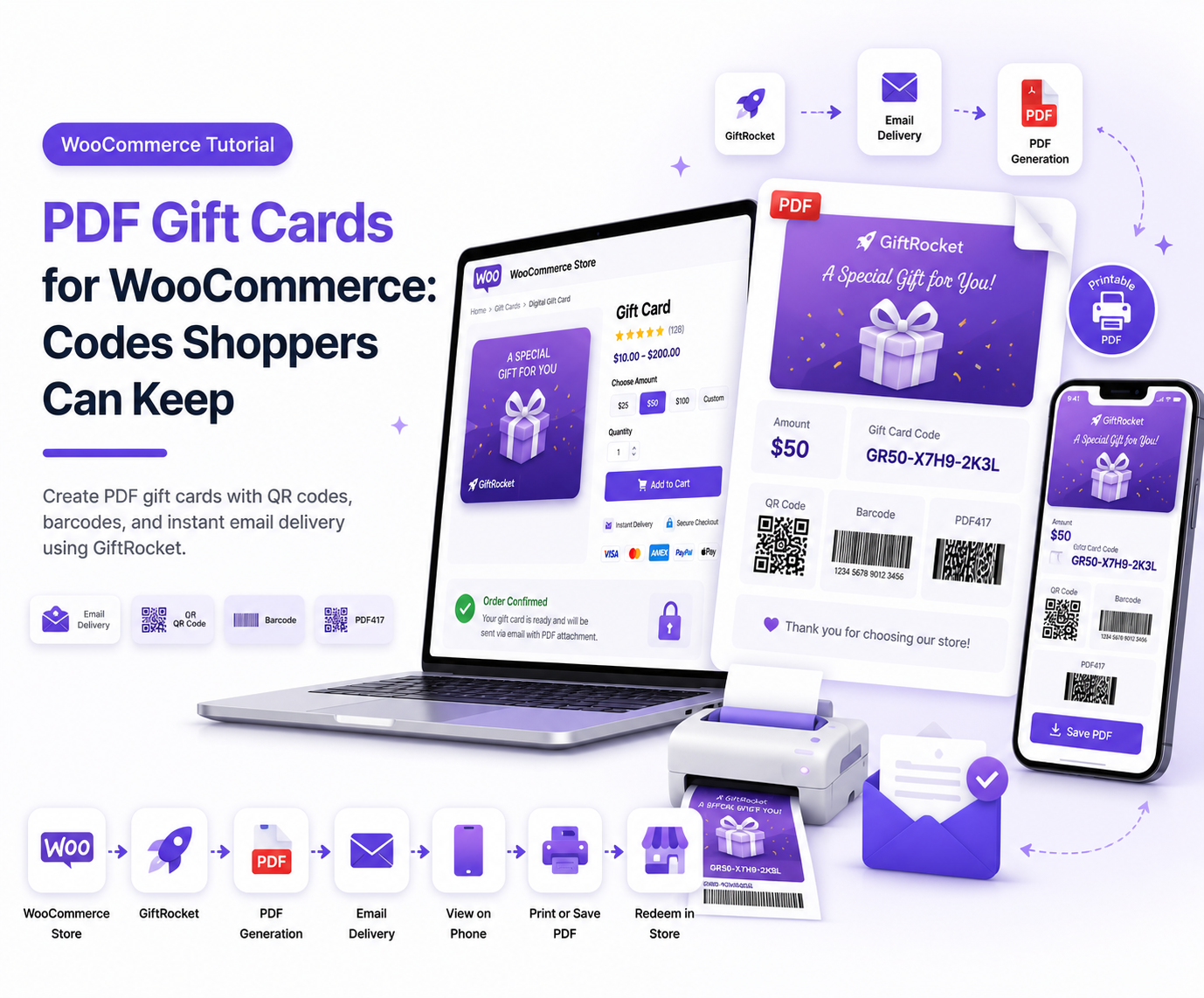
A PDF gift card gives shoppers a file they can save, forward, or print. GiftRocket builds that PDF for free. Many other plugins keep PDF tools in a paid plan.
Digital gift cards still send by email. The PDF is the keepsake. Kids and parents both understand a clear card with a code and a friendly note.
How PDF Delivery Works
Generating and delivering a PDF gift card is simple:
- A shopper buys a gift card.
- GiftRocket creates the PDF on your server.
- The email carries the card details and the file.
- The recipient opens the PDF when they are ready to shop.
You style colors, borders, and layout in GiftRocket settings. Keep text large and easy to read.
Why PDF Gift Cards Help Sales
PDF gift cards provide benefits for both shoppers and store owners.
- Parents like a printable card for a lunchbox surprise or a party envelope.
- Teens like a file they can keep on a phone.
- Stores like fewer support tickets about “where is my code.”
PDF cards also help offline moments.
A café or bakery can still accept a code from a printed page if your staff knows how to redeem it in WooCommerce.
GiftRocket vs Common PDF Limits
| Need | GiftRocket Free | Many Free Rivals |
|---|---|---|
| PDF in email | Yes | Often paid |
| QR on PDF | Yes | Often paid |
| Barcode on PDF | Yes | Mixed |
| Design controls | Yes | Mixed |
Always check the latest plugin pages before you buy. Features change.
Frequently Asked Questions
Do I Need a Special Printer?
No.
Any home or office printer works for a simple gift printout.
Is the PDF Safe for Kids to Open?
Yes.
It is a normal PDF file from your store.
Use clear designs and kind messages.
Can I Turn PDF Off?
Yes.
Use GiftRocket settings if you want email only.
Next Step
Send yourself a test gift card.
Open the PDF on a phone and a laptop.
Confirm the code and QR work.
Then offer PDF gift cards on your live store.