Most e-commerce experts know this for a fact: page reloads are subtle conversion killers.
Despite that, WooCommerce, by default, refreshes the entire page whenever you click on the add-to-cart button. This creates various issues, not only for the customers but also for the single product page.
Now, you might’ve heard about the “AJAX Add to Cart Button” that can mitigate this issue. But what exactly is this option, and how can you enable it for your WooCommerce product pages?
Let’s dive into this write-up and find out.
Why You Need an AJAX Add to Cart Button on a WooCommerce Product Page
The default WooCommerce behaviour typically forces a page refresh every time a customer adds a product to their cart.
To elaborate, when a customer clicks on the “Add to Cart” button, the browser is forced to discard the current page. It communicates with the server to update the cart database, and then re-downloads the entire HTML document, including images, scripts, and stylesheets.
This interruption can disrupt the shopping flow and potentially lead to cart abandonment. Such a brief “white screen” flash acts as a psychological stop sign. It forces the user to reorient themselves on the page and breaks their browsing rhythm.
And that’s not all!
Here is why switching to an AJAX-based solution is essential:
- Seamless User Experience: Customers can add multiple items to their cart instantly without being redirected or waiting for the product page to reload. This continuity mimics the smooth experience found on major e-commerce platforms.
- Increased Speed: When a standard WooCommerce page reloads, the browser is forced to re-fetch and re-render every single element on the site. This process consumes bandwidth and processing power. An AJAX request bypasses this heavy lifting entirely.
By updating only the cart fragment of the page rather than reloading the entire HTML document, the interaction is significantly faster.
- Higher Conversion Rates: Reducing the time and friction between “I want this” and “Added to cart” encourages impulse buys and keeps the customer focused on shopping. This uninterrupted experience mimics the physical act of dropping an item in a basket and keeping moving.
- Better Mobile Experience: On mobile devices where data speeds can vary, eliminating unnecessary page reloads makes the store feel much more responsive and professional e-commerce website. Basically, it gives an app-like experience.
Ultimately, these performance gains translate directly to your bottom line. A frictionless shopping experience reduces the likelihood of bounce rates. It also signals to your customers that your store is modern, reliable, and ready for business.
In short, this feature is not merely a cosmetic improvement… it is a strategic necessity for retaining engagement.
Best AJAX Add To Cart WooCommerce Plugins in 2026
While many themes claim to offer this functionality, using a dedicated plugin ensures stability and better compatibility with the latest WooCommerce updates.
Here are the top choices for 2026, categorized by their cost and capabilities:
1. Single Product Page Customizer with Variation Swatches for WooCommerce
This Single Product Customizer is one of those plugins that don’t look flashy but still gets the job done. It is less of a simple utility and more of a total page builder solution.
AJAX Add to Cart Feature: Requires Pro Version
This is the top recommendation for store owners who want full control over their product pages. While the free version handles basic customizations, the Enable Ajax Add to Cart feature is a premium option found in the Pro version.
It is ideal if you want to combine AJAX functionality with other advanced features, such as removing the “Add to Cart” button, adding custom text, or rearranging page elements, without writing code.
2. Ajax add to cart for WooCommerce by QuadLayers
The specialty of this plugin is its simplicity and lightweight functionality.
AJAX Add to Cart Feature: Included in Free Version
If you need a straightforward solution without extra bells and whistles, this plugin is a reliable choice.
It supports both simple and variable products and allows you to customize the “loading” spinner that appears when a user clicks the button.
It is completely free and works well with most standard themes.
3. WPC AJAX Add to Cart for WooCommerce
This one is a highly compatible plugin that also includes special effects.
AJAX Add to Cart Feature: Included in Free Version
WPC is known for building plugins that play nicely with others. And this one is no different!
This free tool enables AJAX adding for single products very efficiently and offers a unique “fly to cart” animation effect.
It is a great option if you want to add a bit of visual flair to the process while keeping your site fast.
Additionally, it offers a Quick View pop-up mode that keeps customers on the catalogue page. This further reduces the need for multiple page loads.
4. FunnelKit Cart for WooCommerce
This plugin is best suited for sales funnels and sliding carts.
AJAX Add to Cart Feature: Included in Free Version
While primarily a “Side Cart” plugin, FunnelKit automatically enables AJAX Add-to-Cart functionality as part of its free Lite version.
This plugin takes the concept of AJAX a step further by not only adding the item but also immediately sliding out a modern “Side Cart” drawer. This provides instant feedback to the user and allows them to review their total without leaving the product page.
How to Enable AJAX Add to Cart Button in WooCommerce
Enabling this functionality is straightforward with the Single Product Page Customizer with Variation Swatches for WooCommerce plugin. This tool lets you bypass WooCommerce’s default settings and enable AJAX add-to-cart on single product pages.
How to Enable AJAX Add to Cart Button in WooCommerce:
- Install and Activate the Plugin
-Navigate to your WordPress dashboard.
-Go to Plugins > Add New.
-Search for “Single Product Customizer for WooCommerce” (by WebCartisan).
-Click Install Now and then Activate. - Access the Plugin Settings
-Go to WooCommerce > Settings in your dashboard sidebar.
-Click on the Single Product Customizer tab located at the top of the settings page. - Navigate to Advanced Settings
Within the Single Product Customizer panel, look for the Advanced Settings section or tab. This area contains more granular controls for your product page behaviour.
- Enable Ajax Add to Cart Feature
-Locate the option labelled Enable Ajax Add to Cart.
-Check the box to activate this feature. - Make the Save Changes
Scroll to the bottom of the page and click the Save Changes button to apply the new configuration.
Once saved, visit any single product page on your frontend and test the “Add to Cart” button. It should now update your cart icon instantly without reloading the page.
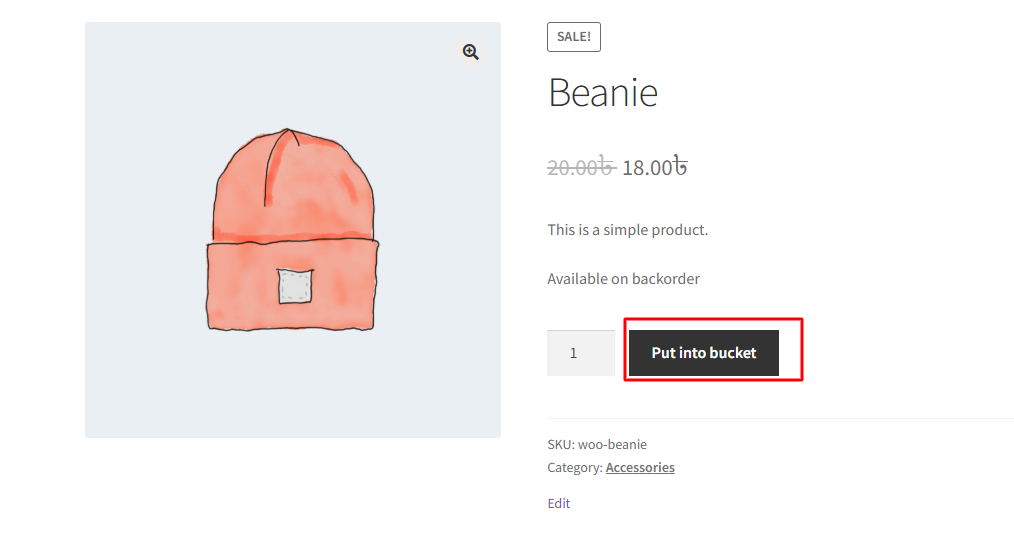
Note: You’ll need the Pro/Paid version of the plugin to get this feature.
Pricing and Plans for Single Product Customizer WooCommerce Plugin
In addition to such a useful feature, this single-product customizer plugin also offers a plethora of options in both free and paid versions.
| Plan | Price | Features Includes |
| Basic | Free/Year | Basic Features for 1 Site, Customer Support Basic Features: Enable Plus, Minus Buttons, Change “Add to Cart” Button Text, Hide Add to Cart Button, Sale Badge Text Change, Out of Stock Text Change, On Backorder Text Change, Remove Related Product SectionHide Price, Hide Short Description, Custom Message Show, Variation Table Show, Variation Swatches for WooCommerce, Customize Related Product Title, Variation Reset Text Change, Customize Upsell Products Title, Disable Product Ratings and Reviews |
| Pro | $29/Year | Basic Features+10 Pro Features for 1 Site, Customer Support Pro Features: Enable Min/Max Quantity Limits, Enable Ajax Add to Cart Button, Custom Tab Attach, Additional Content Attach, WooCommerce Default Tab Label Change, Related Product Categories Grid, Move Image Section to Right Side, Category-Based Customization, Product-Based Customization, Enable Category-Based Customization |
Make sure you have WordPress 6.9 or a newer version installed before using this plugin.
FAQs
A: Yes, the Single Product Customizer is designed to handle variable products efficiently. Hence, you can use the WooCommerce AJAX Add to Cart button for variable products.
A: The plugin is built to be compatible with most standard WooCommerce themes. However, since AJAX relies on JavaScript, it is always recommended to test the feature after enabling it to ensure your theme’s specific cart icon updates correctly.
A: No. You have to be a paid user of the Single Product Customizer plugin in order to use this feature. However, there are many other useful options in the free version of this WooCommerce product page editor plugin.
A: This typically happens if the native WooCommerce redirect setting is still active. To fix this, go to WooCommerce > Settings > Products in your dashboard and ensure the “Redirect to the cart page after successful addition” checkbox is unchecked.
Bottom Line
Implementing an AJAX Add to Cart button is a small change that yields significant improvements in store performance and user satisfaction.
And by using the Single Product Customizer for WooCommerce plugin, you are modernizing your product pages in just a few clicks. If that doesn’t empower your e-commerce store, I don’t know what would!