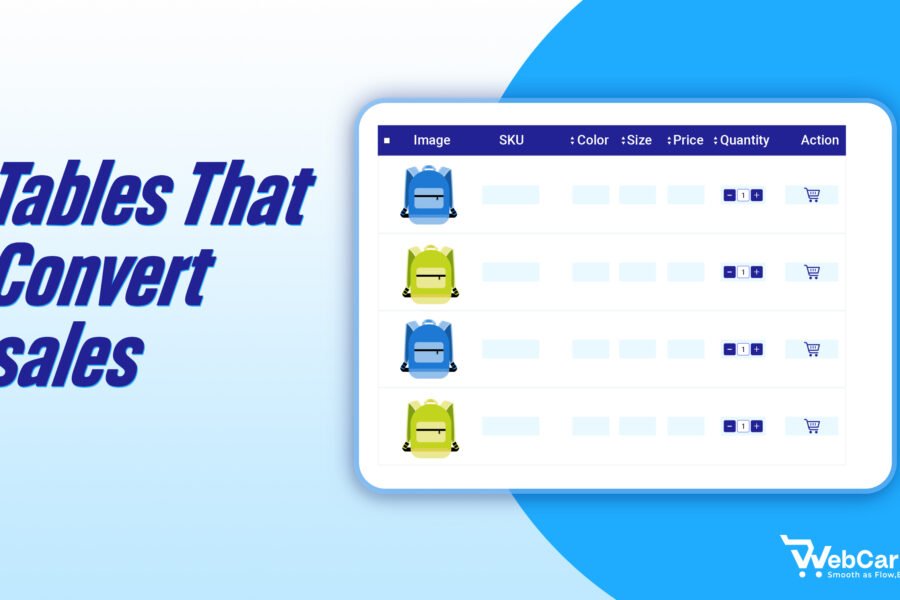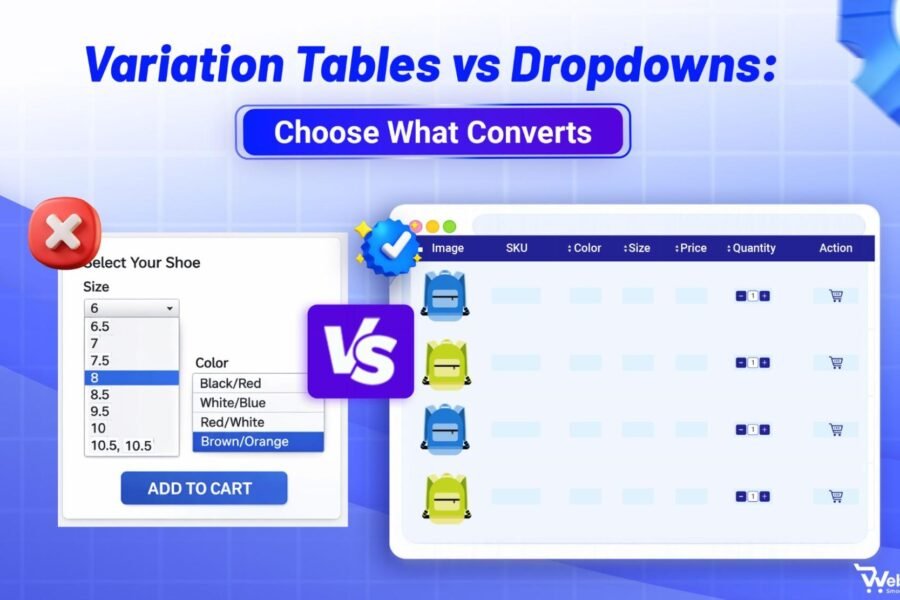
When product options sit behind dropdowns, shoppers must click, remember, and guess to find the right item. Product Variation Tables solve this problem by displaying every available size, color, and style in a single, organized grid.
Product Variation Tables allow customers to compare prices, check stock levels, and select multiple items without leaving the page or refreshing their browser.
By removing the “hide-and-seek” nature of standard menus, you provide immediate transparency. Shoppers can scan for their specific needs, see the exact cost of each version, and move directly to checkout.
Keep reading to learn how Product Variation Tables improve the shopping experience.
Quick Navigation
- The problem with standard dropdowns
- How Product Variation Tables enhance user experience
- Reducing returns through visual clarity
- Best practices for implementing Product Variation Tables
- Conclusion and resources
What Are Product Variation Tables in WooCommerce?
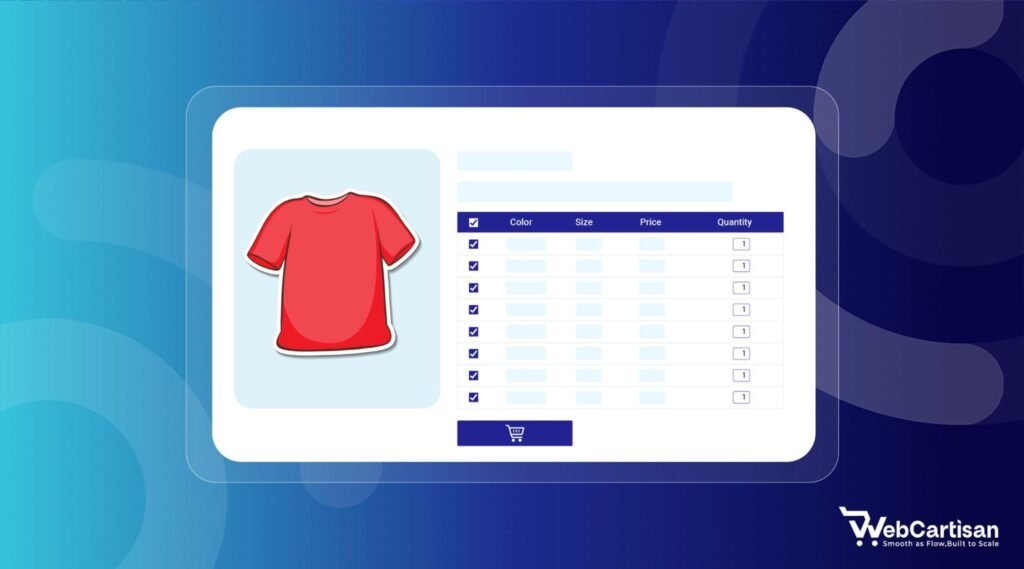
A product variation table is a grid-based interface that displays every available version of a product such as its size, color, and material in a single, organized list.
Unlike a standard product page that hides details, this table lists each unique combination (SKU) as its own row. This allows shoppers to see specific prices, stock levels, and technical data for every option simultaneously.
What They Are
- A comparison tool: They function as a side-by-side display where buyers can evaluate different attributes without clicking through menus.
- A bulk-ordering interface: Most tables include quantity fields for every row, letting users add multiple different variations to the cart with one click.
- A dynamic data source: They pull real-time information from your inventory, showing “Out of Stock” or “Low Stock” labels for specific items immediately.
What They Are Not
- Not a simple text list: Unlike a static list, these tables are interactive; they process selections and handle “Add to Cart” functions.
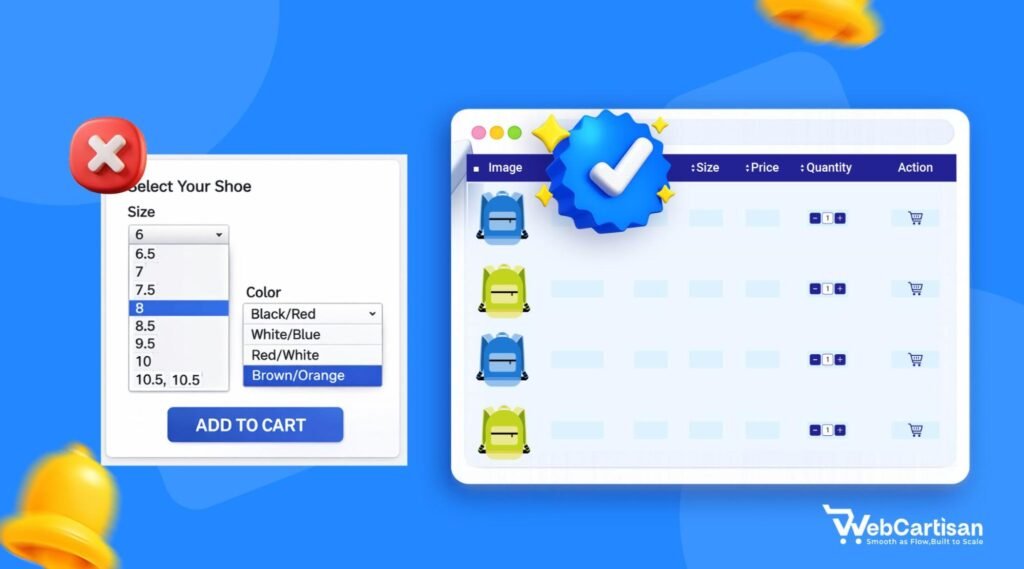
- Not a dropdown menu: They do not hide choices. While a dropdown requires a user to click to see options, a table exposes all data points by default.
Not a gallery: While they can include thumbnails, their primary purpose is to provide structured data and purchase options, rather than just showing photos.
How Product Variation Tables Differ from Dropdowns and Swatches
Research from Invesp shows that 22% of returns happen because the product looks different in person than it did online. By nailing the pre-purchase phase with accurate visuals and descriptions, you eliminate that guesswork. If you want to dive deeper into how to structure your site for success, check out this guide on optimizing e-commerce product pages to keep your customers happy and your return bins empty.
While most WooCommerce stores use standard selection tools, product variation tables provide a different level of data visibility. Here is how they compare to traditional methods:
Dropdowns
Dropdown menus hide information until a user interacts with them. Shoppers must click the menu and scroll through a list just to see if a specific size or color exists.
If a product has multiple attributes (like size and color), the user must perform a “trial and error” search to find the price for a specific combination.
In contrast, variation tables display all combinations and prices immediately, removing the need for repetitive clicking.
Swatches
Swatches are visual buttons, usually small circles of color or fabric, that help shoppers pick a style. While swatches are more visual than dropdowns, they still only show one set of data at a time.
If a customer clicks a “Red” swatch, they still don’t know the price or stock status of the “Blue” or “Green” versions without clicking those as well. Tables include these visual cues but add technical data like SKUs, dimensions, and wholesale tiers in a single view.
Separate Product Pages
Some stores list every variation as an entirely different product. This scatters your inventory across multiple pages, forcing customers to click the “Back” button or use the search bar to compare a “Small” shirt with a “Large” one.
This increases page load times and fragments your SEO. Variation tables keep all options on one parent page, allowing the shopper to compare the entire range of a product without leaving the URL.
How Customers Make Product Decisions Online
Shoppers follow a specific mental process to transition from curiosity to checkout. When you understand how customers evaluate options, it becomes clear why a grid layout outperforms a hidden menu.
Comparison Behavior
Online shoppers are natural researchers. Before buying, they compare variables like price, material, and availability.
If a “Large” item costs more than a “Small,” or if one color ships faster than another, the customer needs to see those differences side-by-side.
Product variation tables support this behavior by placing every data point in parallel rows, allowing the eye to scan and compare values in milliseconds without refreshing the page.
Elimination Logic
Most buyers shop through an elimination process. They look for reasons not to buy a specific version, such as “out of stock,” “too expensive,” or “wrong dimensions.”
Tables allow users to rule out unsuitable options instantly.
When every variation is visible, a shopper can skip past the five colors they don’t want and focus immediately on the one that fits their criteria. This speed keeps the momentum of the purchase high.
Why Hidden Data Causes Friction
Friction occurs whenever a user has to work to find basic information. When dropdown menus conceal prices or stock levels, it compels the shopper to engage in “mental accounting.”They have to remember the price of the first option while clicking to find the price of the second. This creates a high cognitive load in e-commerce, which is the mental effort required to complete a task. If the process feels like a chore, the shopper will likely abandon the cart in favor of a competitor who provides more transparency.
Why Standard WooCommerce Dropdowns Fail Compared to Product Variation Tables
Standard WooCommerce dropdowns often don’t work because they hide product options and require extra clicks.
They also often break when there are more than 30 variations of a product because of AJAX limitations.
They don’t look good on mobile devices, don’t have any visual flair, and can cause broken selectors when they conflict with themes or plugins.
Why Standard WooCommerce Dropdowns Fail
Standard dropdowns are often the “silent killers” of conversion rates. While they are the default, they create friction that drives customers away. Here is why they fall short:
1. The “Hidden Choice” Problem (UX)
Dropdowns hide your product’s variety. Customers have to click multiple times just to see what colors or sizes are available. This lack of transparency slows down the buying process and hides the very options that might convince a customer to buy.
2. The 30-Variation Limit (Technical Debt)
By default, WooCommerce stops processing variation data via AJAX once you hit 30 variations.
- The Result: Your selectors may “freeze” or stop updating prices and stock levels.
- The Fix: While you can patch this with a functions.php snippet, it’s a band-aid solution for a UI that wasn’t built for scale.
3. Visual & Mobile Limitations
- Zero Visual Flair: Dropdowns are text-only. If you’re selling patterns, textures, or specific shades, a text label like “Forest Green” is a poor substitute for a visual swatch or table row.
- Mobile Friction: Native mobile dropdowns are often clunky and take over the entire screen, making it impossible for users to compare options side-by-side.
4. Compatibility Risks
Standard selectors are notorious for conflicting with custom themes or optimization plugins. These conflicts often break the AJAX calls required to add items to the cart, leading to a broken “Add to Cart” button and lost sales.
Benefits of Product Variation Tables for Customer Experience
Product Variation Tables replace those clunky dropdowns with a structured, easy to read grid. This allows your customers to see every available version of a product, including its price, stock status, and unique features, all in one view.
We believe that transparency is the key to building trust with your audience. Product Variation Tables put the customer in the driver’s seat. When they can see every option at a glance, they feel confident enough to hit that buy button.
The following list highlights how this feature improves the way people interact with your shop:
- Faster product comparisons without reloading pages
- Clear visibility of stock levels for every specific item
- Ability to add multiple variations to the cart at once
- Mobile-friendly layouts that reduce the need for precise clicking
- Instant price updates for different wholesale or retail tiers
By streamlining the selection process, Product Variation Tables help users move from the landing page to the checkout page in half the time.
How Product Variation Tables Reduce Product Return Rates
Returns are a silent killer for e-commerce profit margins. Often, a customer returns an item because what they received did not match what they thought they ordered. This usually happens when the product variation details are buried or confusing.
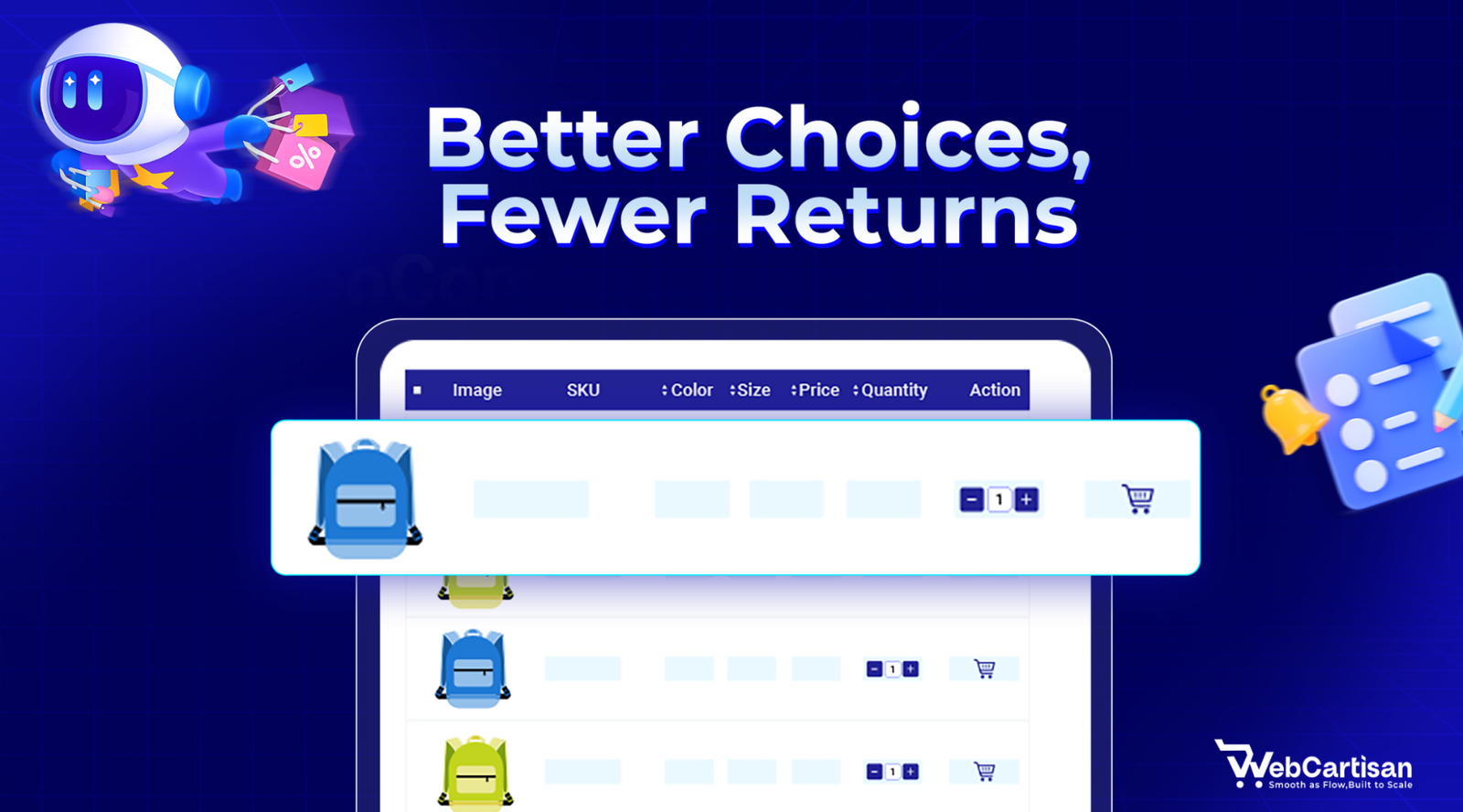
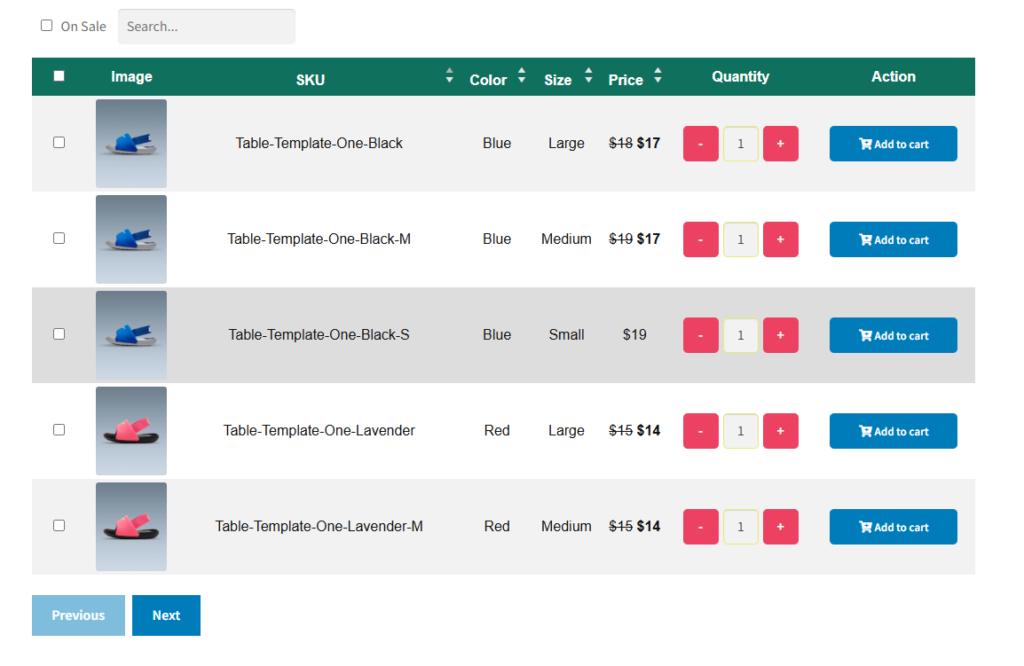
When you use Product Variation Tables, you provide a dedicated row for each unique item. This means the customer sees the exact SKU, the specific color name, and the precise measurements before they hit the buy button.
Providing this level of detail ensures that there are no surprises when the package arrives. You can slash your return rates just by being clear.
Research from Invesp shows that 22% of returns happen because the product looks different in person than it did online. By nailing the pre-purchase phase with accurate visuals and descriptions, you eliminate that guesswork.
If you want to dive deeper into how to structure your site for success, check out our guide on optimizing e-commerce product pages to keep your customers happy and your return bins empty.
Improving Accuracy with Detailed Variation Data
Each row in Product Variation Tables can include specific data points that a dropdown simply cannot handle. You can include technical specifications or even small thumbnail images for each variation.
Each row in a Product Variation Table handles the heavy lifting that a dropdown simply can’t. You can pack in technical specs or even small thumbnail images for every single variation, giving your customers the full picture at a glance.
Think of it as the difference between a hidden list and an open catalog. Instead of making users click and hunt for details, you’re laying everything out side-by-side. This makes it easy for them to compare features and feel 100% sure about which version is right for them before they checkout.
Setting Clear Expectations for Stock and Shipping
If one specific color is on backorder, Product Variation Tables show this immediately. This prevents a customer from ordering an item and being disappointed later by a shipping delay notice.
Visualizing Price Differences Clearly
Sometimes an XL size costs more than a small one. In a dropdown, this price jump can be a nasty surprise. In Product Variation Tables, the price is visible upfront, so the customer knows exactly what to expect.
Key Features to Include in Your Product Variation Table
Not all tables are created equal. To truly improve the customer experience, your setup needs to be functional and responsive. We recommend focusing on a few specific elements to ensure your Product Variation Tables perform well:
You should aim to provide a layout that is as informative as it is easy to navigate. To make your store stand out, ensure your product variation table includes the following features:
- Thumbnail images for every variation row;
- Search and filter bars for large product catalogs;
- Quantity selectors for bulk purchasing;
- “Add to Cart” buttons for individual rows or a bulk add option;
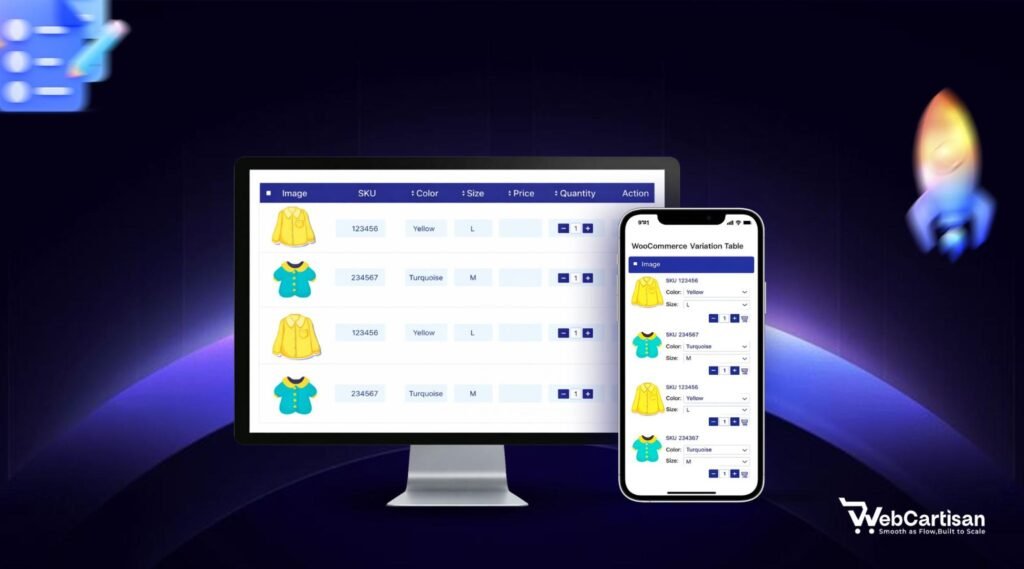
- Responsive design that collapses gracefully on smartphones.
Implementing Variation Tables for Wholesale and B2B
If you run a wholesale business, Product Variation Tables are a necessity, not a luxury. Wholesale buyers don’t have time to click around; they often need to grab 10 units of ‘Red/Large’ and 15 units of ‘Blue/Small’ in one go.
A clear table lets them fill their entire order from a single screen. By streamlining the bulk-buy process, you remove the friction that usually slows down big orders and keep your best customers coming back for more.
Using a standard interface would require them to refresh the page and add items one by one. Product Variation Tables allow them to enter quantities for multiple rows and click a single button.
We see a significant increase in average order value (AOV) when B2B stores switch to this layout. By showing every option upfront, you’re essentially inviting customers to add more to their cart without the extra effort of navigating through multiple pages.
Best Practices for Styling Product Variation Tables
While functionality is vital, aesthetics still matter. A messy grid can be just as confusing as a dropdown menu. When designing Product Variation Tables, we suggest keeping the design minimal and consistent with your brand colors.
Make sure the text is legible and that there is enough padding between rows. Use alternating row colors to help the eye track information across the screen.
When you prioritize readability, you’re actually reducing cognitive load. The mental effort it takes for a customer to understand your data. If a table feels cluttered or hard to read, shoppers get overwhelmed and bounce.
By keeping things spacious and organized, you make the decision-making process feel effortless, which keeps them moving toward the checkout.
Always test your Product Variation Tables on different devices to ensure proper optimization.
Enhancing SEO with Product Variation Tables
Clearer layouts don’t just help customers. They help search engines, too. You’ll often see better SEO rankings because these tables keep users on the page longer and allow search bots to crawl your product data more effectively.
If you’re looking to climb the search results even faster, check out this deep dive on to see how technical structure impacts your bottom line.
Final Words
Switching to Product Variation Tables is one of the simplest ways to upgrade your WooCommerce store. It solves the primary issues of customer frustration, slow browsing, and high return rates.
Think of it as a competitive edge that most of your rivals are probably ignoring. While other stores stick to clunky, outdated layouts, you’re providing a fast, modern shopping experience that respects your customer’s time. This kind of professional polish doesn’t just improve your site’s feel. It builds the kind of long-term trust that turns one-time browsers into loyal, repeat buyers.
By providing a clear, transparent, and efficient way to shop, you are setting your business up for long-term success.
Brands transform their conversion rates simply by changing how they display their options. If you want to provide a professional shopping experience, it is time to move beyond the dropdown and implement Product Variation Tables.
For more tips on optimizing your online shop, check out our guide on WooCommerce checkout optimization or learn about improving site speed for mobile users.
Frequently Asked Questions
Will a Variation Table Slow Down My WooCommerce Store?
No, if you use a well-coded plugin, a variation table is very lightweight. In many cases, it is faster than standard dropdowns because it reduces the number of clicks and page interactions required from the user.
Can I Use Variation Tables for Products with Many Attributes?
Yes, variation tables are actually best for products with many attributes. You can add search and filter features to the table so users can find exactly what they need among hundreds of options.
Is This Compatible with Mobile Devices?
Most modern variation table plugins are fully responsive. They typically convert the table into a “card” view on smaller screens so that the information remains easy to read and buttons are easy to tap.
Do I Need to Know How to Code to Add This?
You do not need coding skills. There are many user-friendly plugins for WooCommerce that allow you to enable variation tables with just a few clicks in your dashboard settings.
Can I Hide Specific Variations From the Table?
You can usually configure the settings to hide variations that are out of stock or that you do not want to promote. This gives you full control over what the customer sees.
Share your ideas or ask questions in the comments. We would love to hear from you! Want more WooCommerce growth strategies, giveaway ideas, and plugin updates?
Subscribe to our blog and never miss a post.