The Giveaway Lottery for WooCommerce plugin includes an advanced Ticket Picker System that allows customers to choose their own ticket numbers. This interactive feature improves transparency and builds a stronger relationship between customers and store admins.
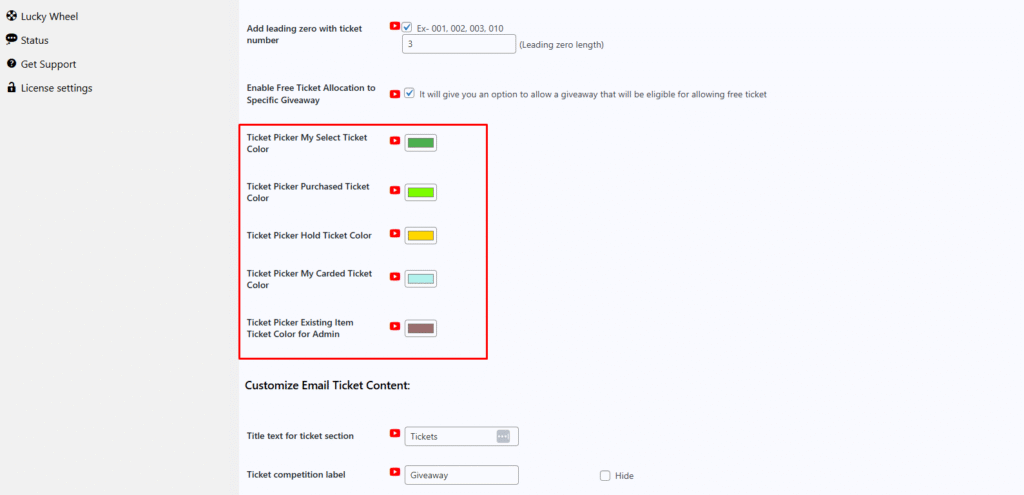
To make ticket selection clear and user-friendly, the system uses five different color indicators:
- My Selected Ticket Color
Displays the tickets currently selected by the customer. - Purchased Ticket Color
Indicates tickets that have already been purchased and are no longer available. - Held Ticket Color
Shows tickets that are temporarily reserved by other customers. - My Carted Ticket Color
After a customer selects tickets and adds them to the cart, those tickets are highlighted with a separate color to indicate they are in the cart. - Admin Order Ticket Color
In the admin order details page, tickets related to a specific order item are displayed in a distinct color. This allows admins to easily identify, review, and deduct tickets for that order.
This color-based ticket picker system ensures a smooth user experience, prevents ticket conflicts, and provides clear visual control for both customers and administrators.