

In the Giveaway Lottery for WooCommerce plugin, an email is automatically sent to the customer when a winner is selected. Additionally, you can also select a winner manually and send the email using the Send Email button.
How it works
- Enable email notifications
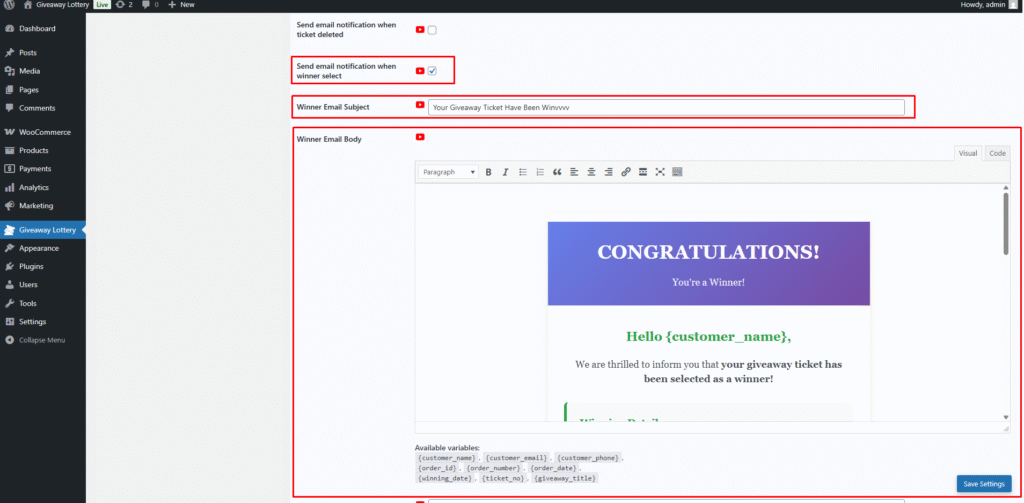
First, go to General Settings and enable “Send email notification when winner selected.”
Then configure the email subject and email body according to your needs.
- Automatic email sending
When a winning ticket number is selected from the Winner Reveal page, the system automatically sends an email notification to the winner’s registered email address. - Manual email sending
If needed, you can also send the winner notification email manually by clicking the Send Email button.
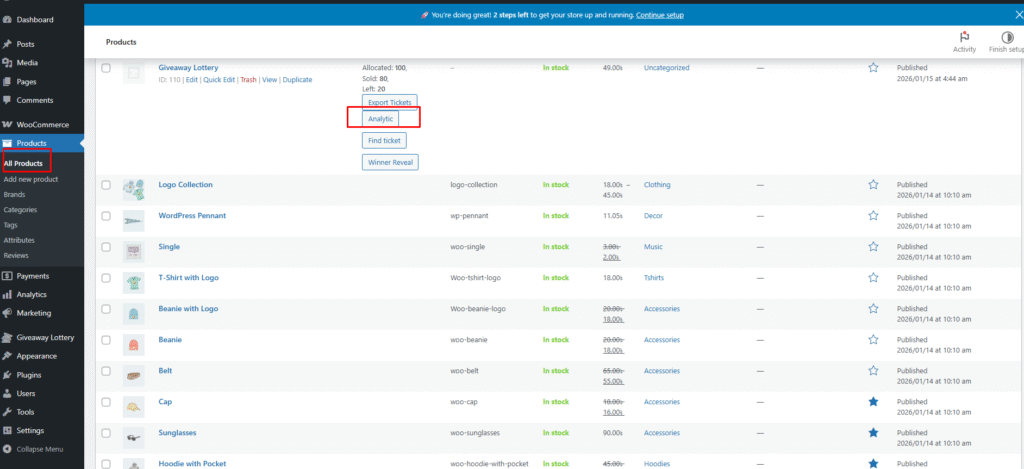
When manually sending an email, that time first need to select the winner.
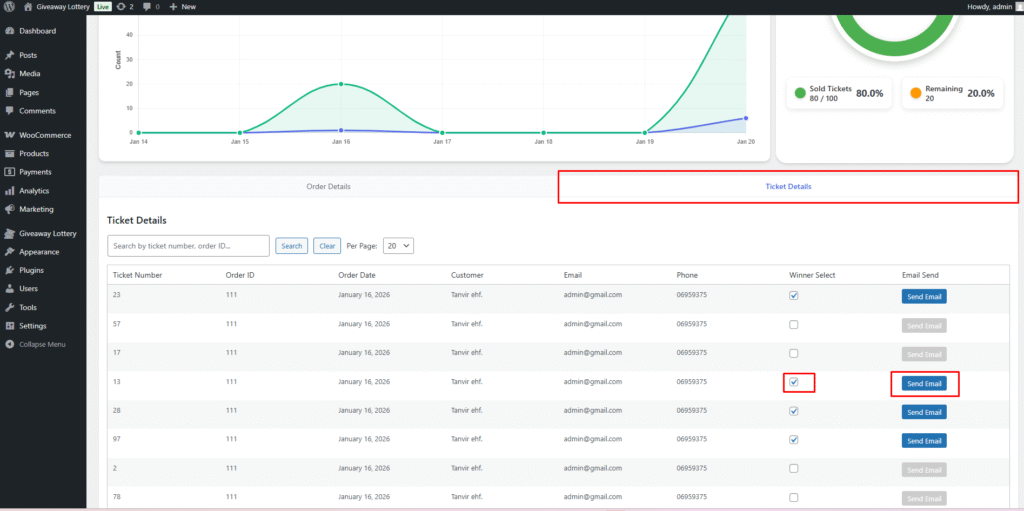
This ensures that winners are always informed—either automatically or manually—without any extra effort.