(Giveaway Lottery for WooCommerce – Dynamic Ticket Message Customization)
1. Overview
The Giveaway Lottery for WooCommerce plugin allows administrators to fully customize ticket-related messages displayed on:
- Single Product Page
- Shop Page
- Archive Pages
These messages dynamically update based on:
- Ticket quantity per unit
- Bonus tickets (if enabled)
- Selected product quantity
This ensures flexibility in branding, language customization, and improved customer communication.
Built on top of
WooCommerce
2. Default Ticket Display Behavior
2.1 Single Product Page (Default Example)
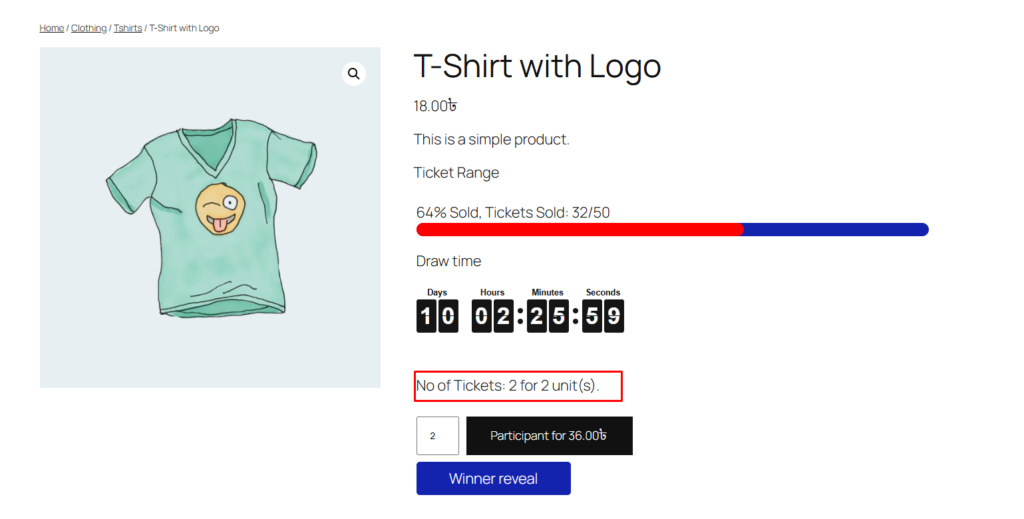
When a customer selects quantity = 1:
No of Tickets: 1 for 1 unit(s).
When quantity changes dynamically, the message updates automatically.
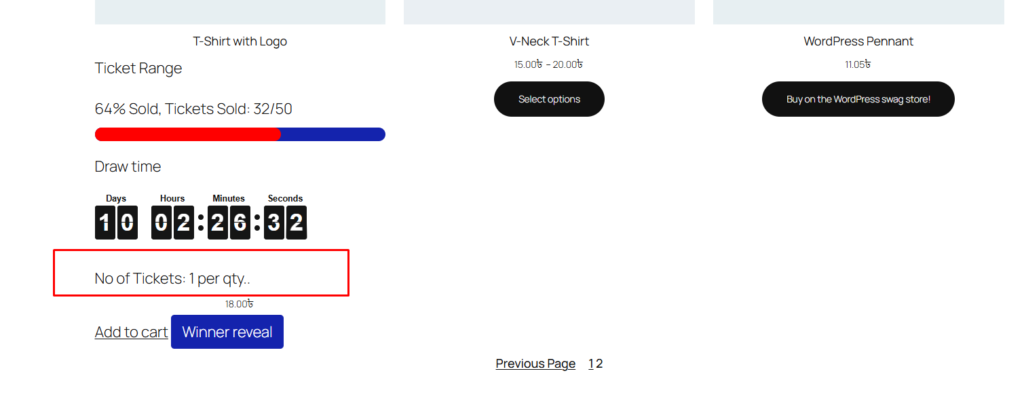
2.2 Archive / Shop Page (Default Example)
No of Tickets: 1 per qty
This appears under product listings on:
- Shop page
- Category page
- Tag page
3. Where to Change These Messages
Go to:
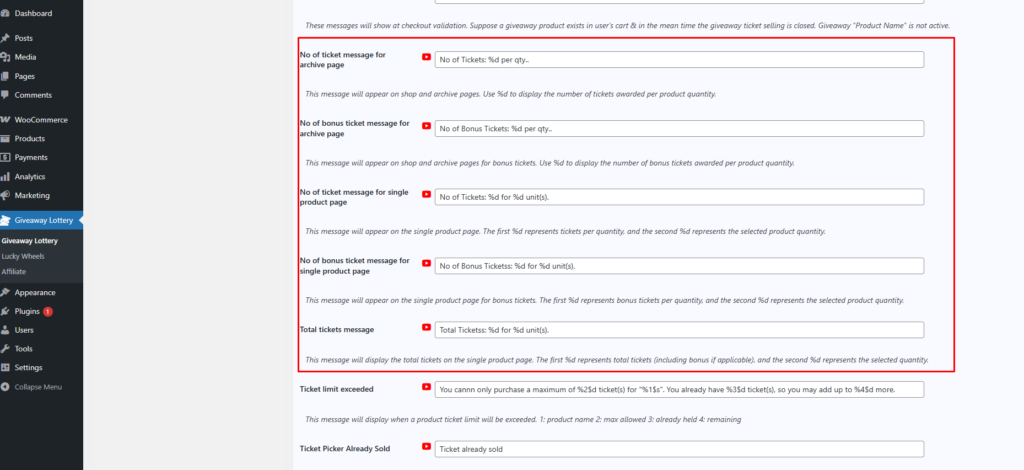
Giveaway → General Settings
Inside the settings panel, you will find configurable message fields for:
- Ticket messages (Archive Page)
- Bonus ticket messages (Archive Page)
- Ticket messages (Single Product Page)
- Bonus ticket messages (Single Product Page)
- Total tickets message (Single Product Page)
Shop Page:
Single Product Page: