The Basic Settings panel allows you to customize the visual appearance and behavior of your gift cards. Each option helps personalize the gift card experience for both the sender and receiver.
Gift Card Product Setup
The Gift Card Product Setup options let you configure pricing, expiry rules, email scheduling, and gift card code generation. These settings apply when creating or managing a Gift Card product in your store.
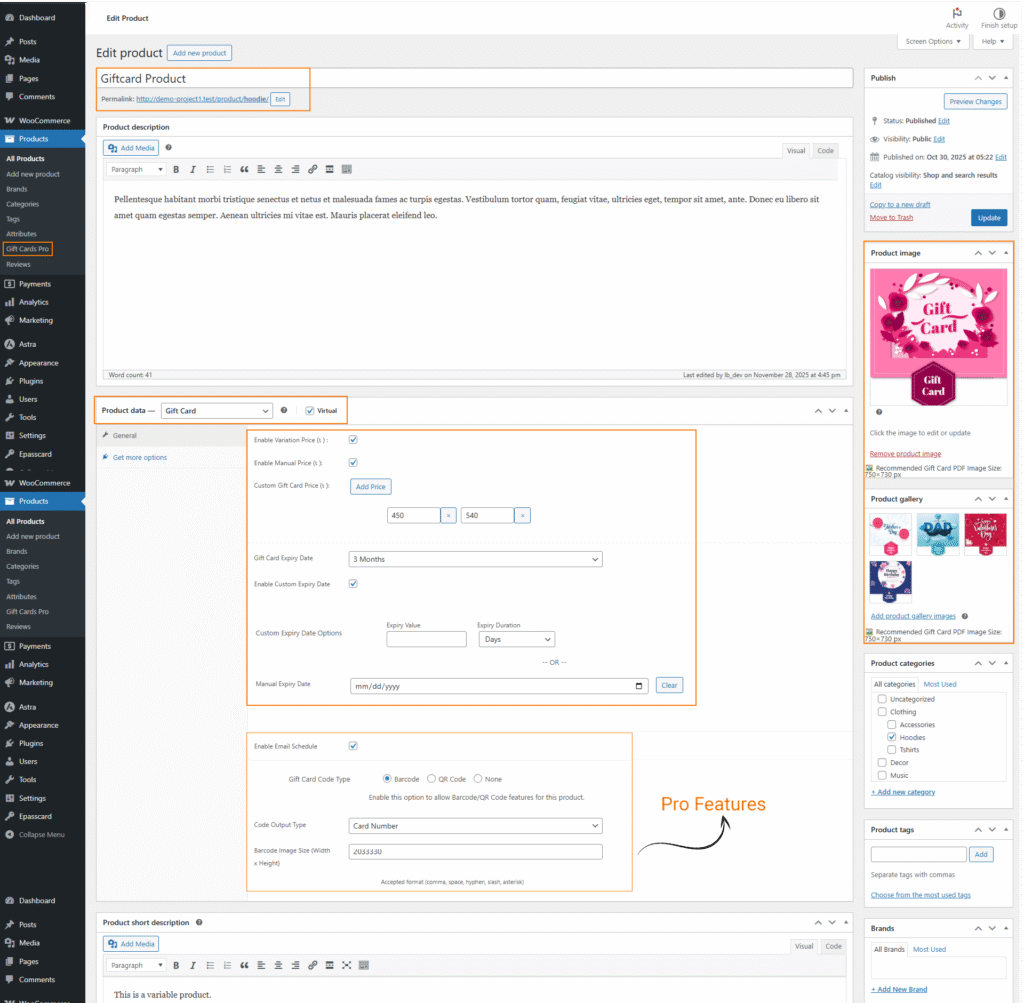
Default Gift Card Features
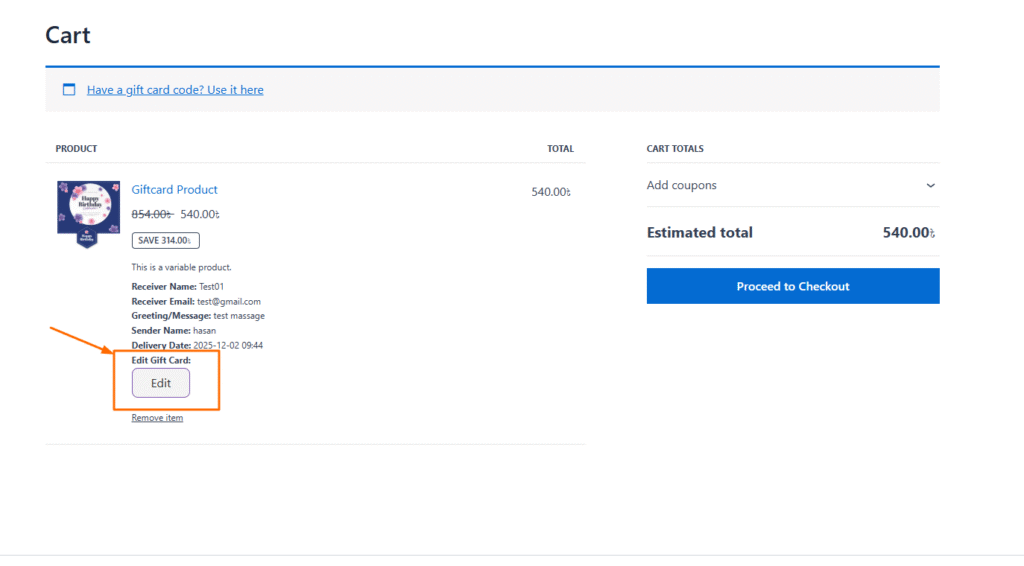
The plugin ships with the following features enabled by default: Enable PDF footer text to display a short product description at the bottom of the PDF, Enable gift card summary to include the full product description, Enable character count limit to show a live counter below the message textarea, Allow editing in cart so customers can modify gift card details directly from the cart, and Allow editing in checkout (PRO) to let customers edit gift card details during checkout.
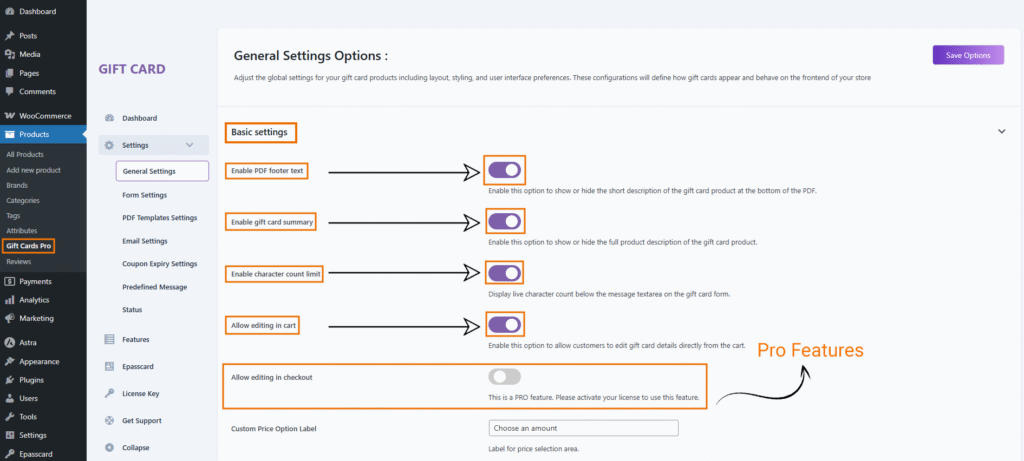
All standard features are enabled by default but can be disabled individually. The checkout editing feature is PRO and requires an active license to use.
Enable Gift Card Summary Contents
Show a summary section on the gift card product descriptions text. That includes sender and receiver details. This makes it easier to identify who sent the gift and who it’s for.
If enabled, a summary contents will appear at the bottom of the gift card basic settings. This is commonly used to show the Gift Card Product description here.
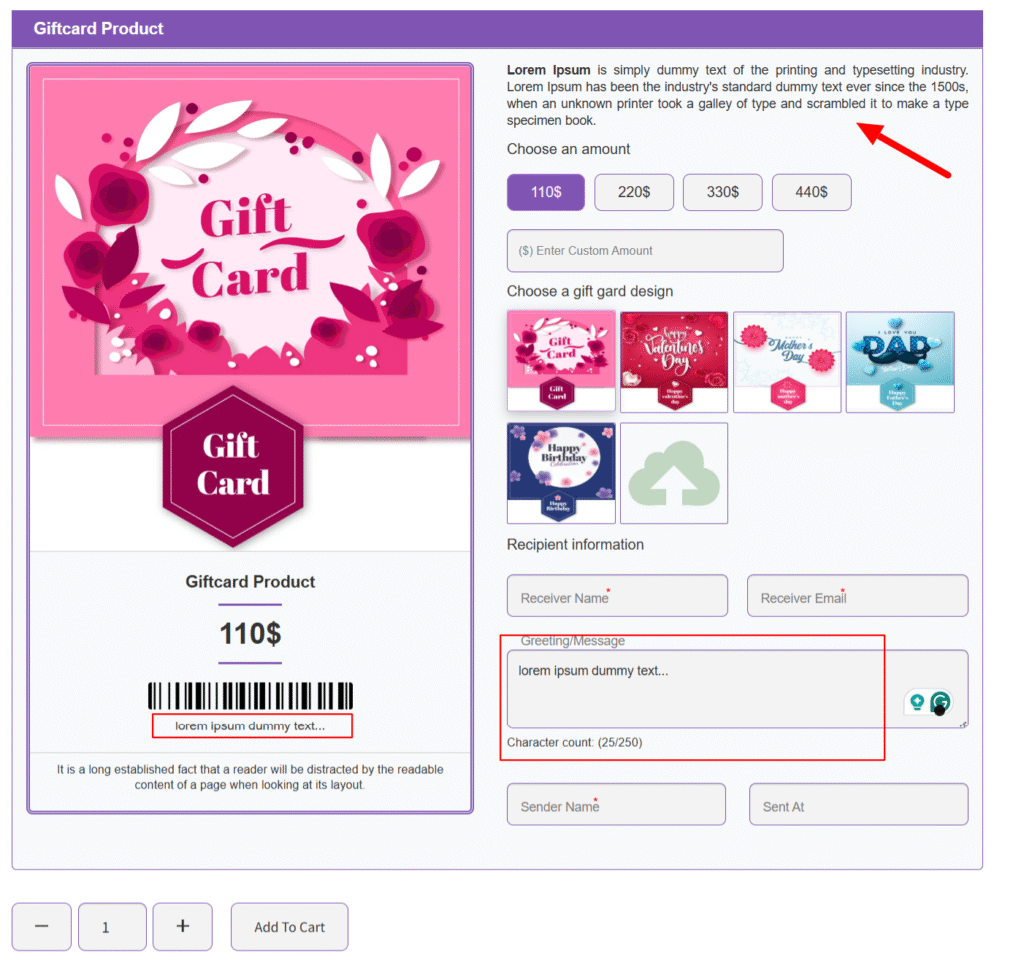
Enable Textarea Character Counts
Enable a live character counter below the message textarea on the gift card form. Helps users stay within the message limit when customizing their card.
Displays a live character counter under the message field in the frontend form. Users will see something like:
Enable Checkout Editing (PRO Feature)
This option allows customers to edit their gift card details directly from the checkout page — available only in the PRO version and requires an active license.
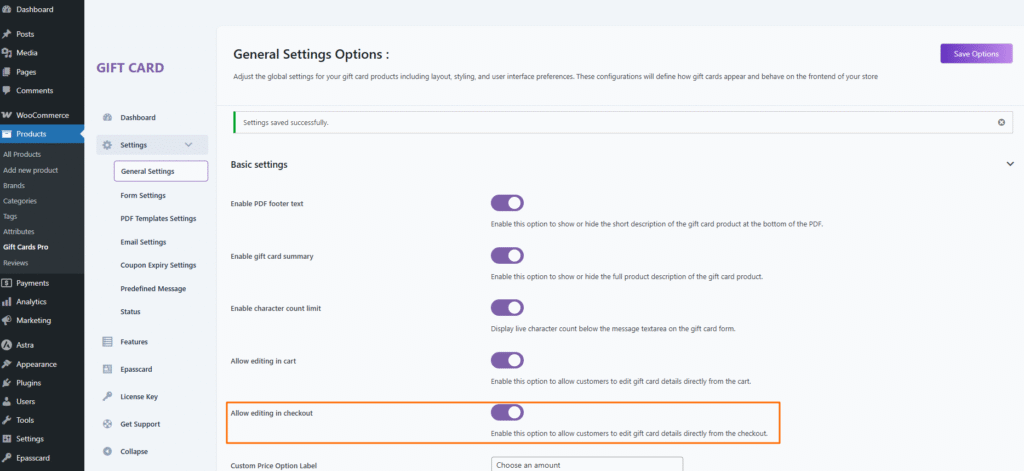
Once your license is activated, this feature becomes fully functional.
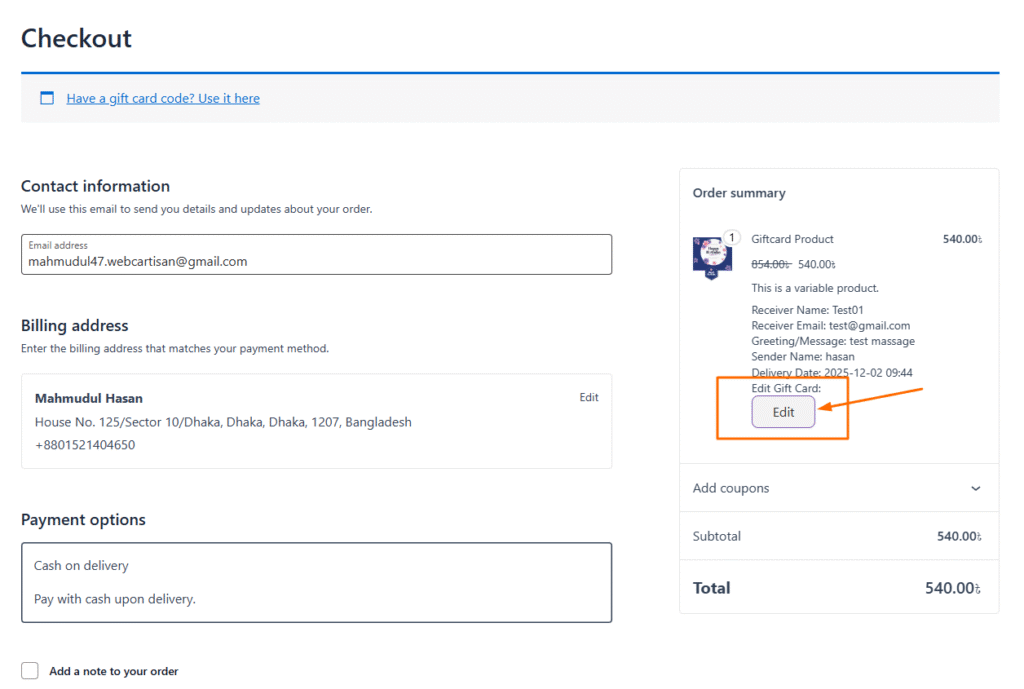
The checkout page will display an “Edit” button, enabling customers to update any gift card information (sender details, receiver details, message, amount, image, etc.) before placing the order.
Change “Choose a Picture” label text
Customize the label that appears above the gift card image selection area. Perfect for matching your site’s tone or language preferences
Custom Gift Card Labels
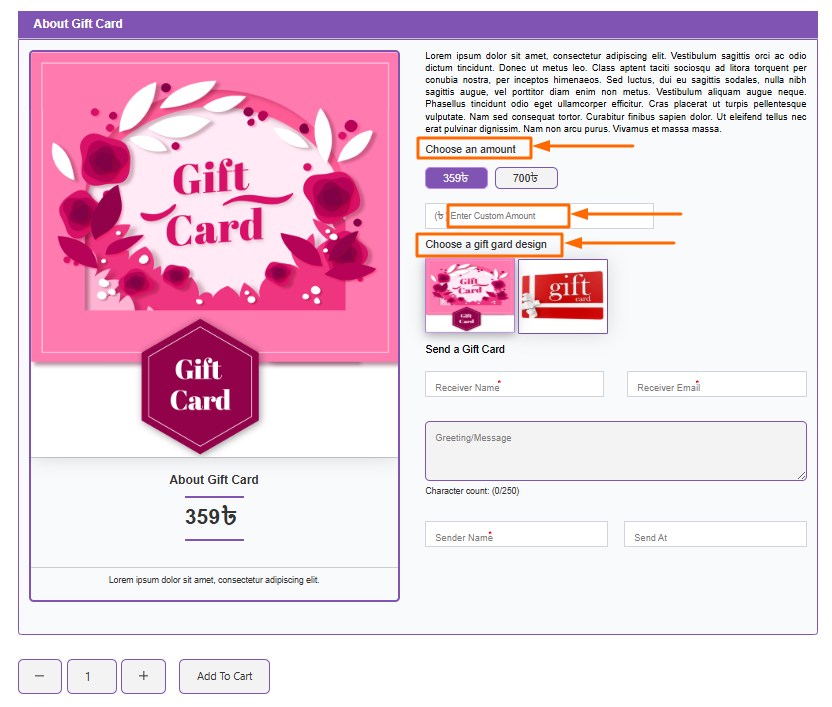
The plugin provides default labels for gift card options: Custom Price Option Label (“Choose an amount”), Manual Price Input Placeholder (“Enter custom amount”), and Gallery Label Text (“Choose a gift card design”).
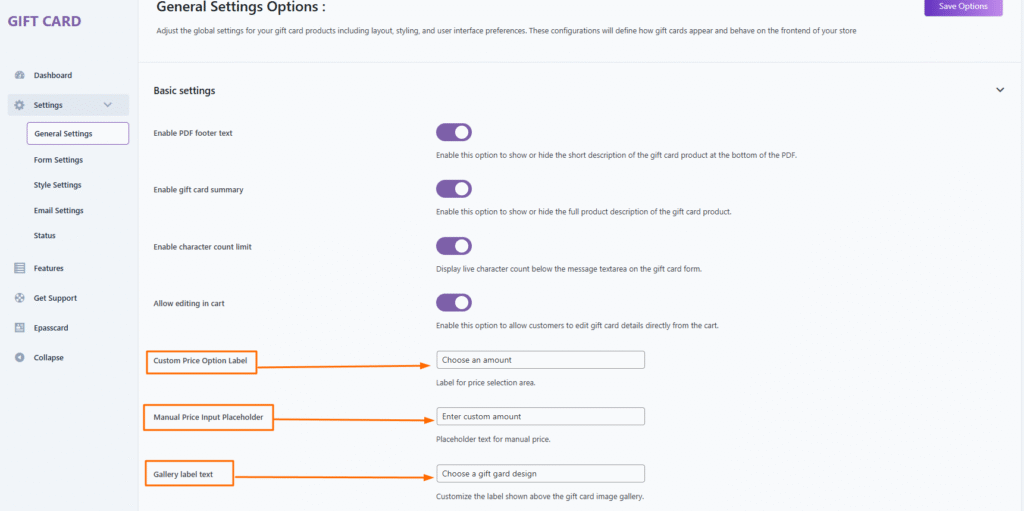
You can change these labels if you want to customize them for your store.
Changes the visual layout of the gift card product on the frontend single product page. visible image gallery label text.