How to Show Total Amount inside Add-to-Cart Button & Customize Button Text
How to Show Total Amount inside Add-to-Cart Button & Customize Button Text
1. Overview
The Show Total Amount in Add-to-Cart Button feature in Giveaway Lottery for WooCommerce enhances the single product page experience by dynamically displaying the total purchase amount directly inside the Add-to-Cart button.
This feature allows store owners to:
Show real-time total price based on quantity
Customize the default button text
Increase transparency before checkout
Improve conversion clarity for giveaway campaigns
2. Feature Purpose
Instead of showing the default WooCommerce button:
Add to cart
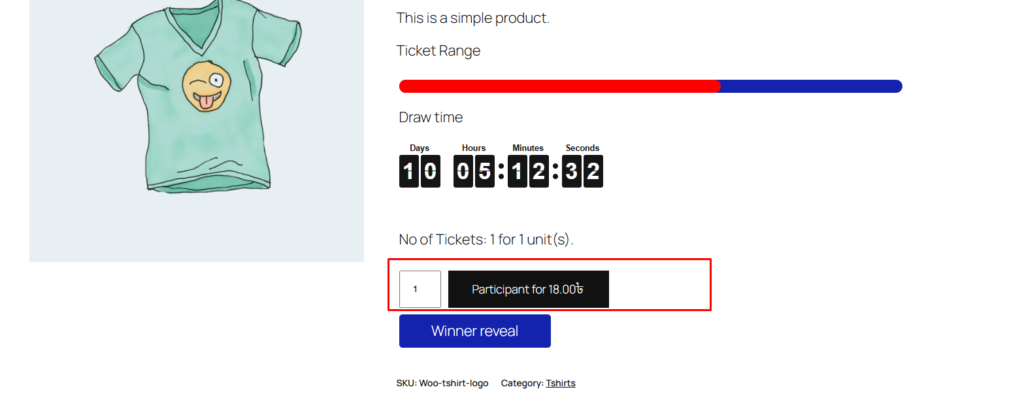
The plugin can dynamically display:
Participant for 18$
Where:
“Participant for” is customizable by the admin
“18$” updates automatically when quantity changes
This creates a clearer and more engaging CTA (Call-To-Action).
3. Activation Process
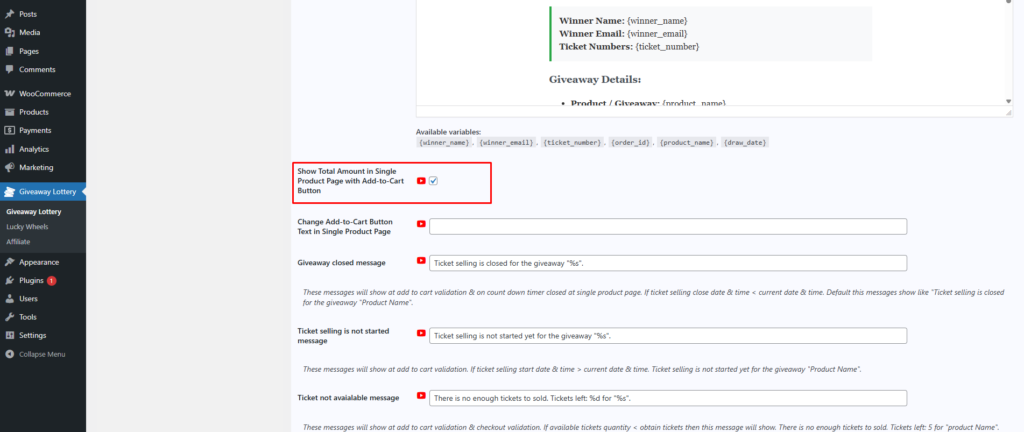
Step 1: Enable the Feature
Go to:
Giveaway → General Settings
Enable:
✅ Show Total Amount in Single Product Page with Add-to-Cart Button
Once enabled:
The button text becomes dynamic
Total price is calculated using selected quantity
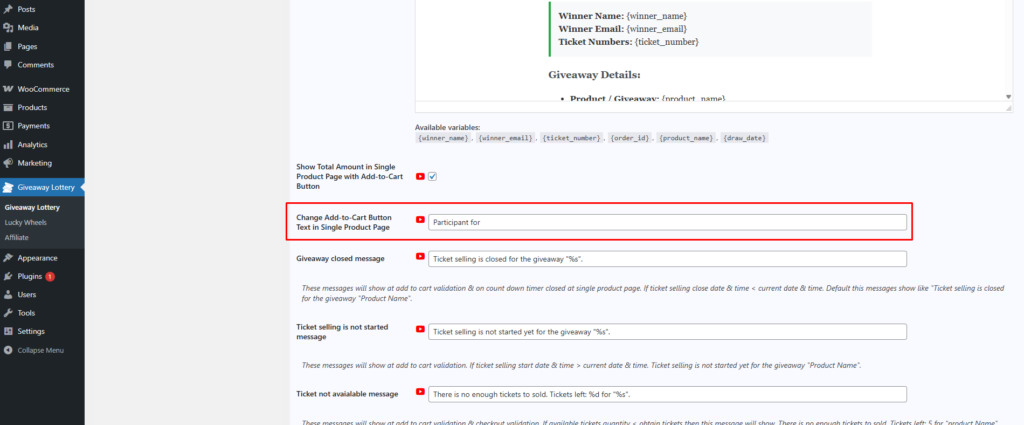
Step 2: Customize Button Text
In the same settings panel:
Change:
Change Add-to-Cart Button Text in Single Product Page
Example:
Default: Add to cart
Custom: Participant for
After configuration, the button will display:
Participant for 18$
4. Frontend Behavior
4.1 Default State (Feature Disabled)
When the option:
❌ Show Total Amount in Single Product Page with Add-to-Cart Button
is disabled:
The system falls back to standard WooCommerce behavior from WooCommerce:
Add to cart
No dynamic pricing will be displayed inside the button.