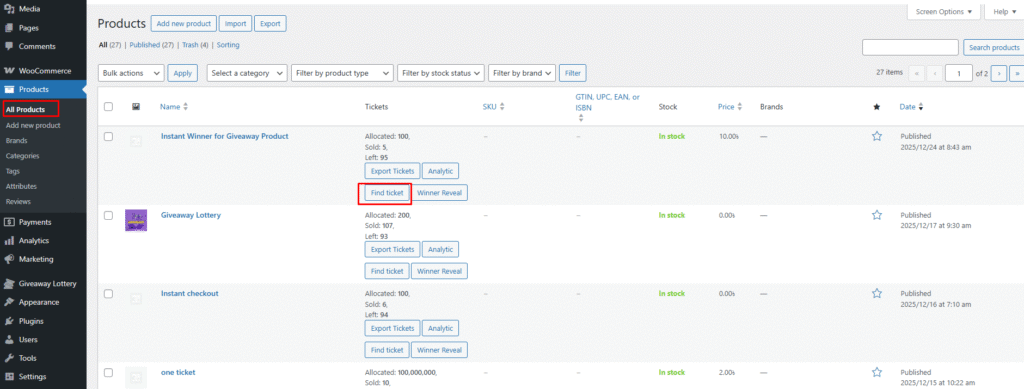
The admin can check detailed information for a specific ticket at any time. On the WooCommerce → All Products page, each giveaway product row includes a Find Ticket button.
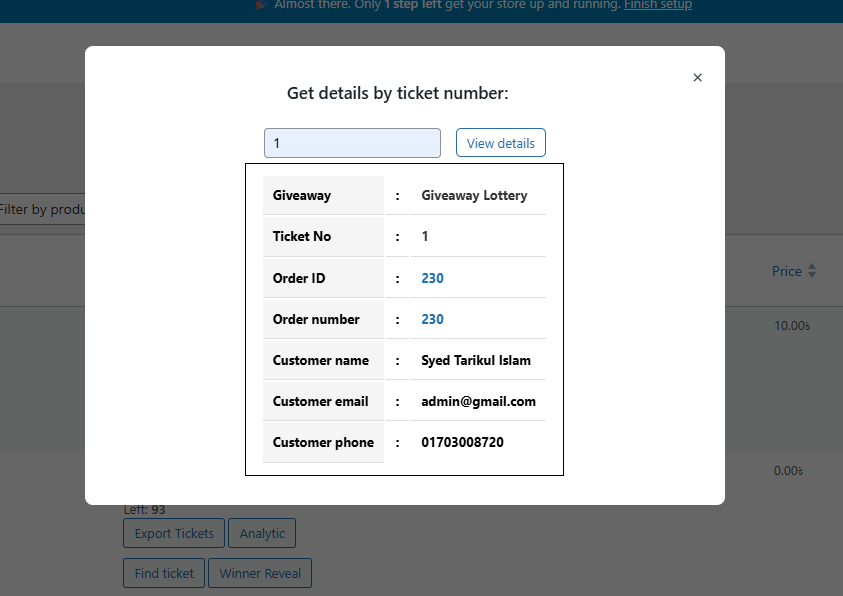
When the Find Ticket button is clicked, a modal window opens where the admin can enter a ticket number. After clicking View Details, the system displays all available information related to that ticket.
If the entered ticket number has been sold, its full details will be shown. If the ticket number has not been sold, the system will display the message:
“Nothing found for this ticket number.”
The images below illustrate the complete workflow and interface.