
In the Giveaway Lottery for WooCommerce plugin, there is a feature that allows the admin to manually select a winner and send the winning email manually.
How to manually select a winner
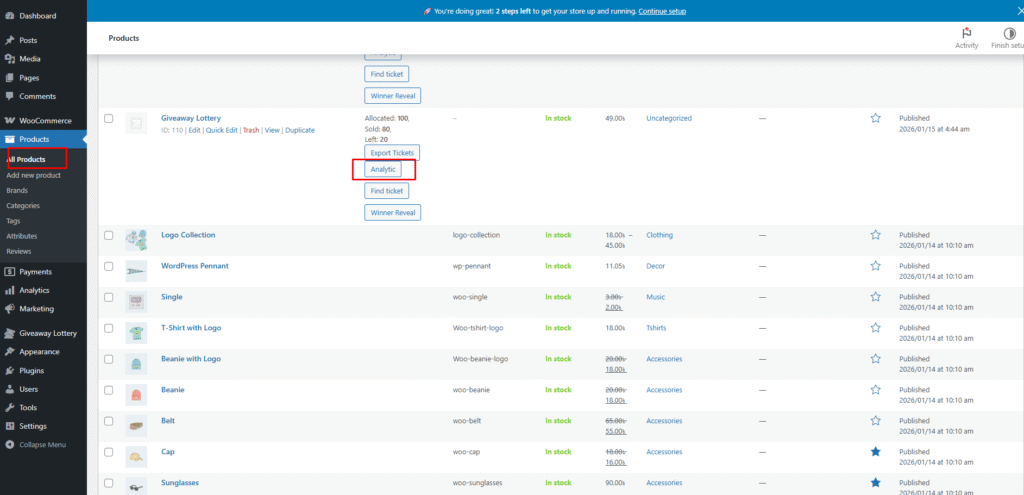
- Go to the Product Analytics page.
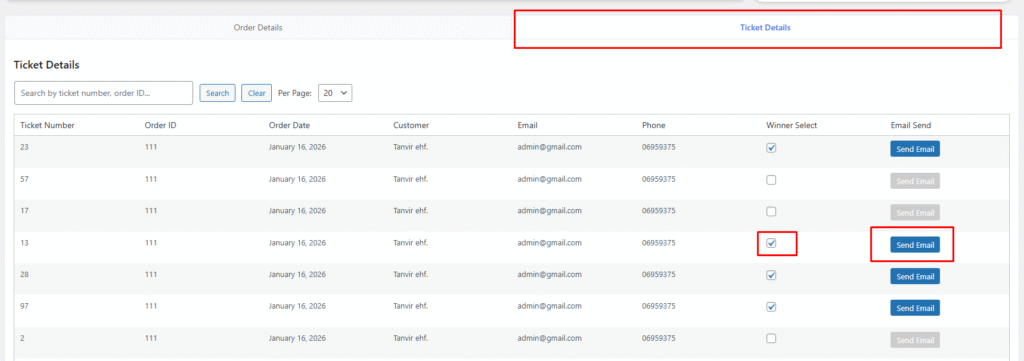
- Click on the Ticket Details tab.
- Select a ticket number to mark it as a winner.
- If you select the same ticket again, it will be removed from the winner list.
Send email manually
- Beside each ticket entry, there is a Send Email button.
- When you click this button, the selected customer will receive the winning notification email immediately.
This feature gives full control to the admin to manage winners and send notifications whenever needed.







