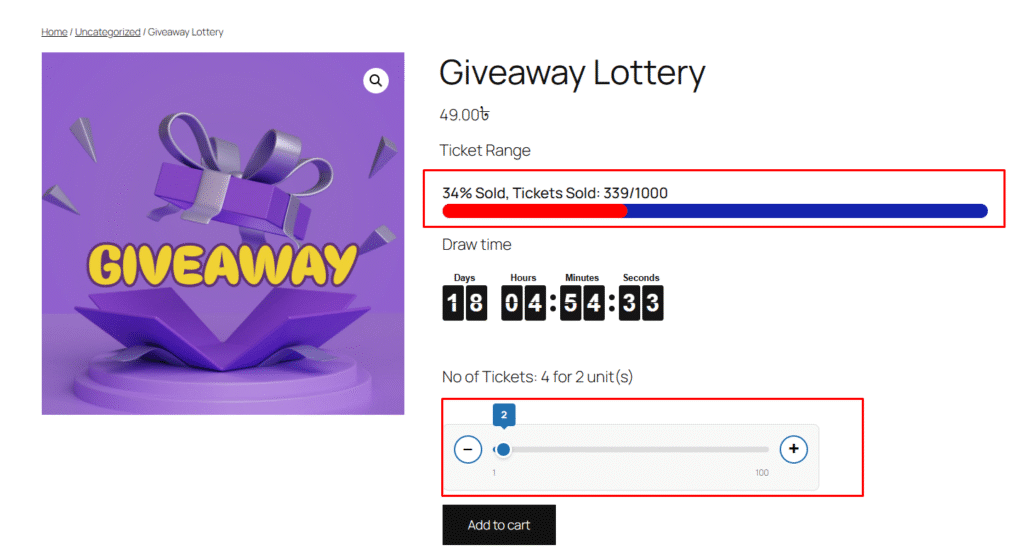
In the Giveaway Lottery for WooCommerce plugin, an additional quantity range slider style is available. When this option is enabled, the default WooCommerce quantity input field is replaced with a modern range slider on the single product page.
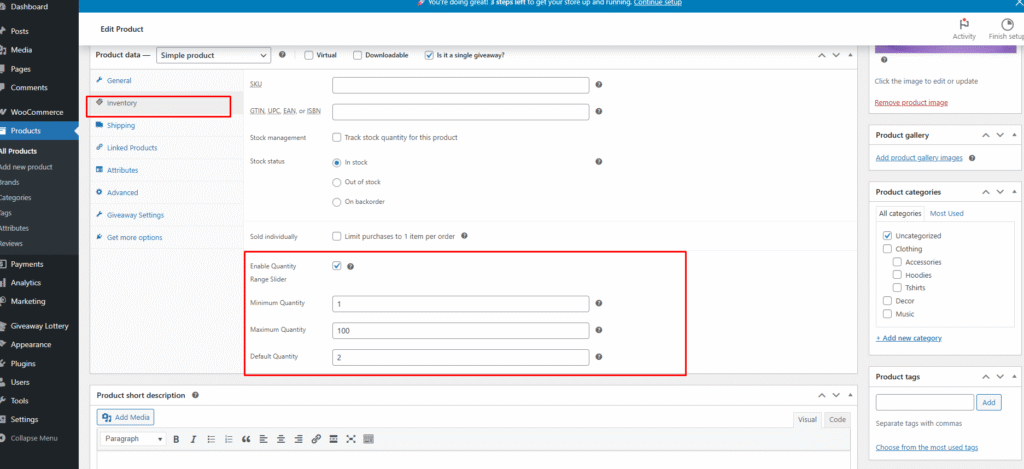
In the WooCommerce Edit Product → Inventory section, administrators can:
- Enable or disable the quantity range slider
- Set the minimum quantity
- Set the maximum quantity
- Define the default quantity
All configured values are fully synchronized and applied consistently across:
- The range slider interface
- The default WooCommerce quantity logic
- Cart and checkout calculations
This ensures a seamless user experience while maintaining full compatibility with WooCommerce’s native quantity handling.