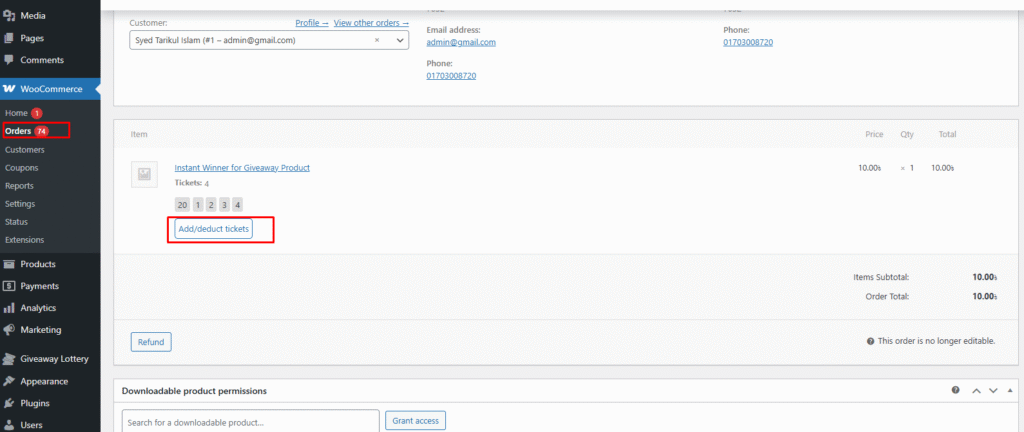
In Giveaway Lottery for WooCommerce, the admin has the ability to add or deduct tickets directly from an order that contains giveaway tickets.
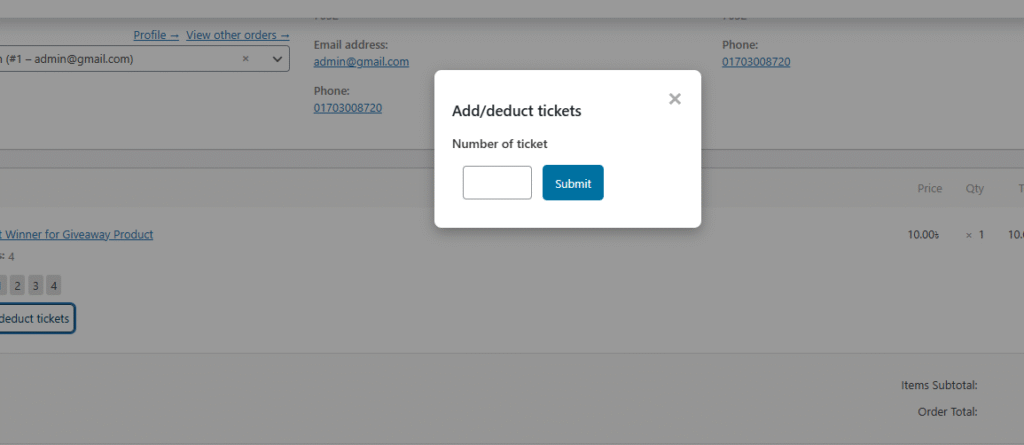
When an order includes giveaway tickets, an Add / Deduct button appears below the assigned ticket numbers. Clicking this button opens a popup modal where the admin can manage tickets in two different ways:
1. Without Ticket Picker (Input Field Method)
In this mode, the admin simply enters a number in the input field:
- Entering 6 will add 6 extra tickets
- Entering -6 will deduct 6 tickets
This allows quick ticket adjustments without selecting individual ticket numbers.
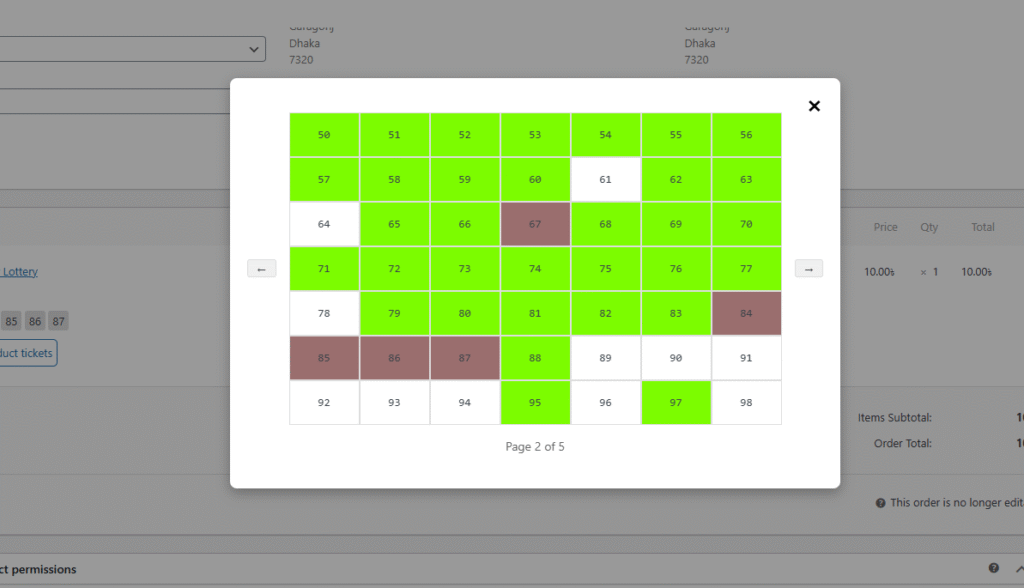
2. With Ticket Picker (Manual Selection Method)
When the ticket picker is enabled, all ticket numbers assigned to the order are displayed in a different color.
- Clicking on an existing ticket number will deduct (remove) that ticket
- Clicking on an unselected ticket number will add that ticket to the order
This visual method makes it easy to manage tickets precisely by selecting or deselecting individual ticket numbers.
The images below demonstrate both ticket management methods and how they appear in the admin panel.