



 Add on Google
 ChatGPT
 Claude
 Grok
Grok
 Gemini
 Perplexity
Lucky wheel giveaways are one of the most effective ways for eCommerce businesses to boost engagement, capture leads, and increase conversions. Whether you run an e-commerce store or a high-traffic website, a spin-to-win feature can boost engagement and capture emails. It also helps increase conversions without needing extra ad spend.
In this guide, you’ll find 5+ free and freemium tools for running lucky-wheel giveaways, from simple online tools to powerful WooCommerce plugins. By the end, you will know exactly which solution fits your business model and how to design a high-converting lucky wheel giveaway for your store.
Why Should You Implement Lucky Wheel Giveaways for Business?
Lucky wheel giveaways use the psychology of gamification to increase customer engagement, generate leads, and drive sales. They are also one of the cheapest ways for e-commerce stores to promote themselves.
Here’s how a lucky wheel giveaway can help you grow your store:
- Instant engagement: A spin-to-win wheel is interactive and fun, making visitors more likely to participate than with a standard banner ad.
- Lead generation: Most lucky wheel tools require an email address to spin, converting anonymous visitors into contactable leads.
- Increased average order value: Prize slices like “10% off” push customers toward higher cart values.
- Reduced cart abandonment: A well-timed lucky wheel can recover shoppers who are about to leave.
- Repeat visits and loyalty: Winners return to redeem their prize, creating a second opportunity to convert.
- Social sharing potential: Contest giveaways naturally encourage participants to share with friends, organically expanding your reach.
- Low cost of entry: Many lucky wheel plugins and online tools are free or have generous free tiers, making them accessible to businesses of all sizes.
Top 5+ Random Lucky Wheel Winner Tools [Online + WordPress]
Below is a comprehensive roundup of the best free and freemium lucky wheel giveaway tools available in 2026, divided into two categories: WordPress plugins for WooCommerce stores and standalone online tools for any kind of business.
Top Random Spin Wheel Plugins for WooCommerce
If your business runs on WooCommerce, these WordPress plugins offer the deepest integration and the most powerful random winner selection capabilities.
1. Giveaway Lottery for WooCommerce
Giveaway Lottery for WooCommerce is the most feature-complete native WooCommerce lucky wheel giveaway plugin available. Built by WebCartisan, it turns your WooCommerce store into a full-fledged promotional platform that supports lotteries, raffles, giveaways, lucky draws, and spin-to-win wheel campaigns all from a single unified system.
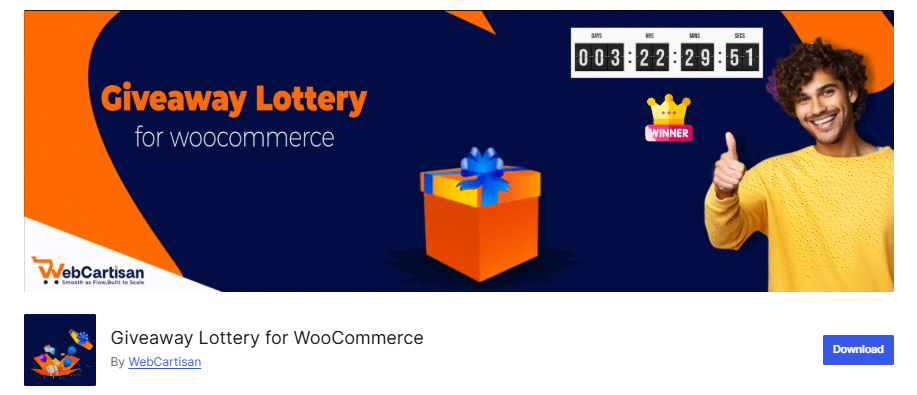
Key features:
- Add interactive spin wheels on product pages, in the cart, at checkout, or anywhere on your site using the shortcode [wcs_lucky_wheel].
- Fully customize wheel slices with prizes, winning probabilities, colors, and descriptions.
- Use random winner selection with a celebratory fireworks animation after each spin.
- Enable automated email notifications to alert winners with their prize details instantly.
- Access a full campaign analytics dashboard to track spins, winners, and coupon performance.
- Place the lucky wheel flexibly anywhere on your site using shortcodes for maximum integration.
Pro Tip: For step-by-step setup guidance, read our full tutorial on designing a lucky wheel. You can also learn how to use WooCommerce lottery shortcodes to embed wheels and winner lists anywhere on your site.
2. Giveaway (formerly Lottery) for WooCommerce
Giveaway (formerly Lottery) for WooCommerce provides the infrastructure for structured, high-stakes campaigns. Unlike basic wheels, it automates ticket pools and winner selection to ensure total transparency. This professional automation eliminates manual overhead and builds brand trust, delivering a “result-oriented” solution for sustainable growth.
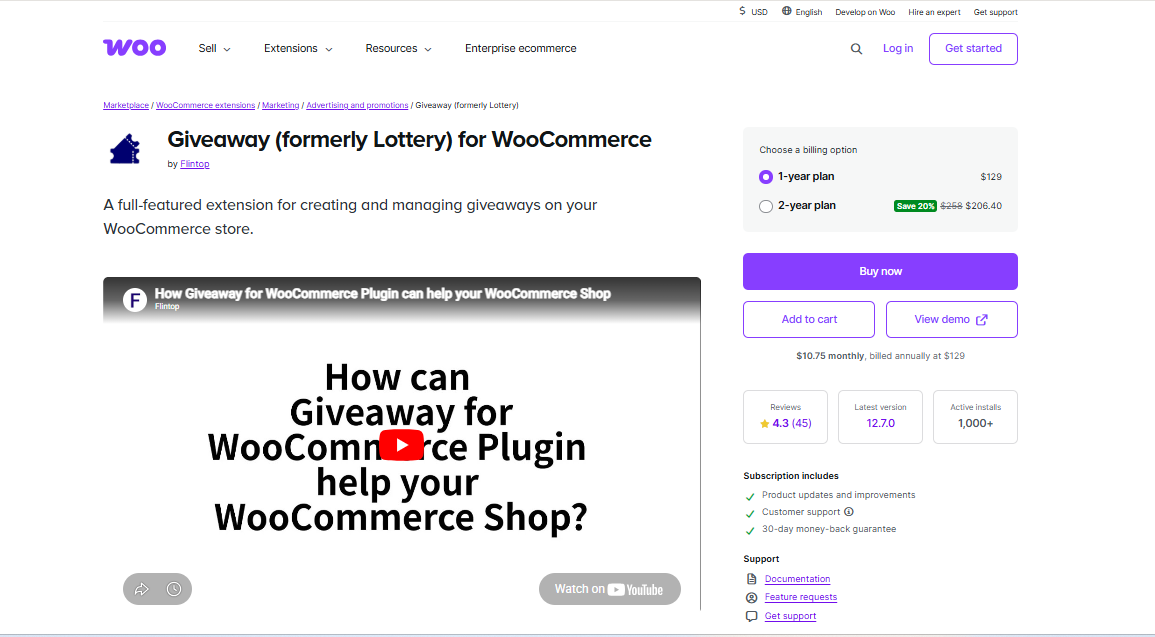
Key Features:
- This system includes a dedicated Lucky Wheel module specifically for high-stakes engagement and prize draws.
- Automated draw timers create immediate urgency with real-time countdowns for all participants.
- A public entry list ensures total transparency and builds trust throughout the giveaway process.
3. Lucky Wheel for WooCommerce
Lucky Wheel for WooCommerce is a free/freemium spin-to-win plugin for WooCommerce that lets visitors enter their email address and spin a wheel to win discount coupons. The free version includes up to 6 wheel slices, coupon features, and basic customization, making it a viable option for stores that want gamification without paying upfront.
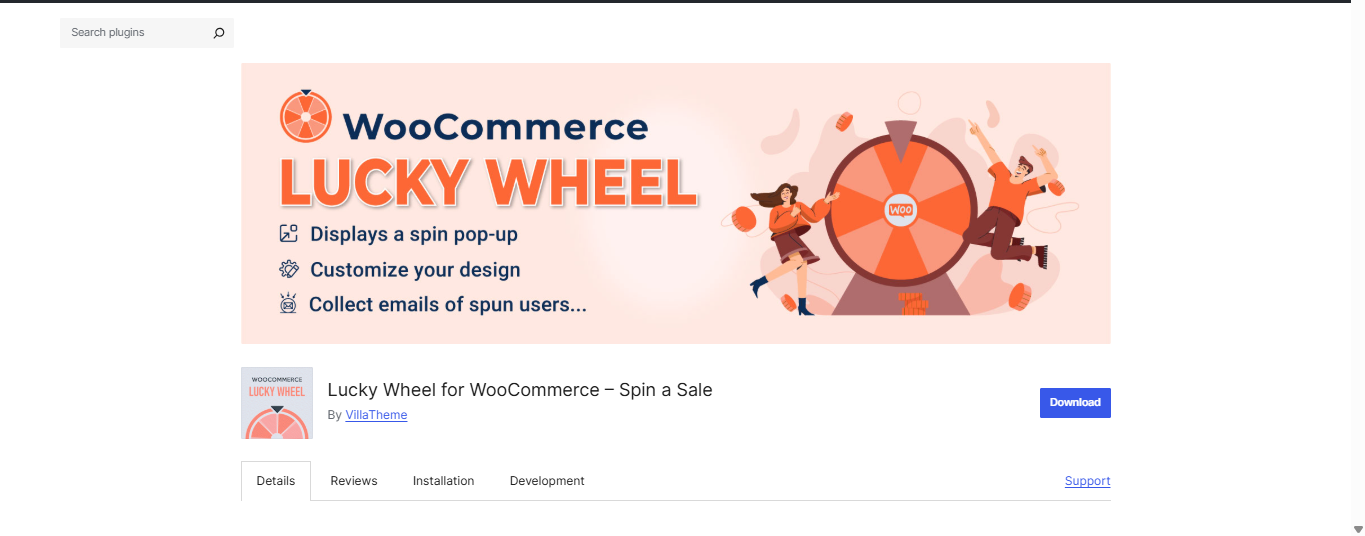
Key features:
- Add interactive spin wheels on product pages, cart pages, or any page using a shortcode.
- Customize wheel slices with your prizes, labels, colors, and winning chances.
- Use randomized winner selection with a celebratory fireworks animation after the spin.
4. WP Optin Wheel
WP Optin Wheel is a freemium gamified list-building plugin for WordPress that turns a standard email opt-in into an interactive spin-to-win experience. It works on any WordPress site, with or without WooCommerce, making it a flexible option for both eCommerce and non-eCommerce websites.
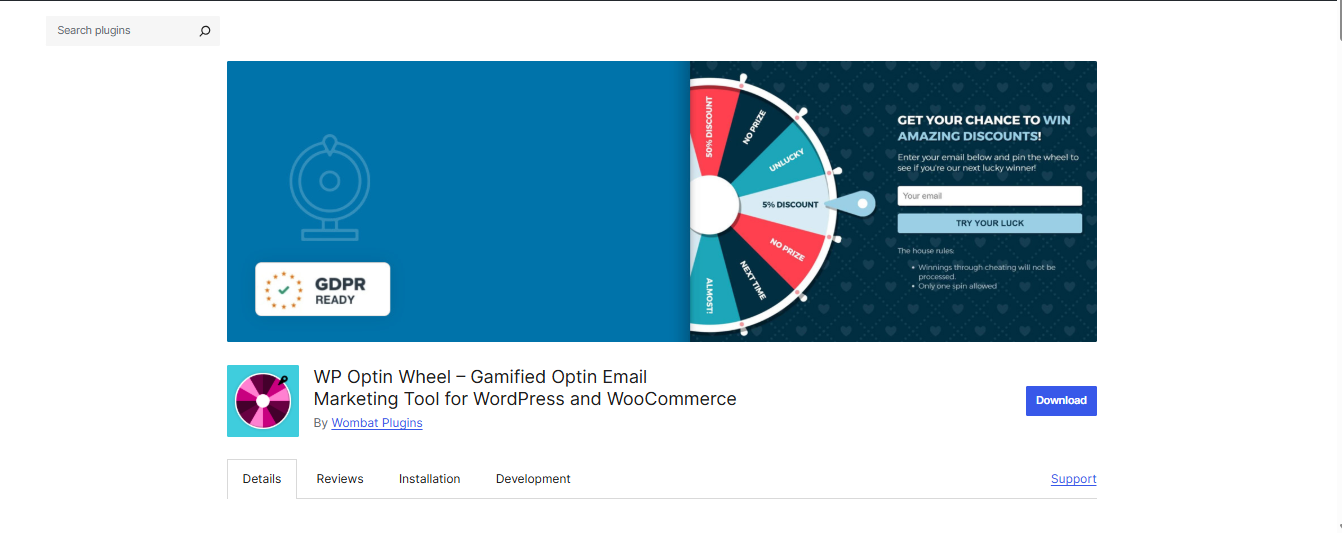
Key features:
- Turns email opt-ins into a spin-to-win experience for more engaging lead generation.
- Works on any WordPress site, with or without WooCommerce.
- Supports coupon rewards and customizable popup settings.
- Let’s adjust the wheel design and offer setup to match your audience.
Top Online Lucky Wheel Giveaway Tools
These tools require no plugin installation and work as standalone web apps. They are ideal for social media giveaways, live events, team decisions, or any situation where you need a quick, random lucky wheel winner without a website integration.
1. Wheel of Names
Wheel of Names is the most popular free online spin wheel tool available, with millions of monthly users. You simply enter a list of names or prizes, spin the wheel, and get an instant random winner. Results can be shared publicly via a unique URL.
Key features:
- Let’s enter names, items, or prizes and spin to instantly pick a random winner everyone can see.
- Has a simple, no-signup interface, so you can create and use wheels in just a few seconds.
- Supports basic customization (like colors and sounds), making it easy to match the wheel to your event or brand.
2. PickerWheel
PickerWheel offers a clean interface for random wheel spinning with a focus on quick entry and customization. It supports multiple display modes, including standard spinning, accumulation (removing used entries), and elimination modes.
Key features:
- Offers a clean interface for quickly entering names, items, or prizes and spinning a random wheel.
- Supports multiple modes, including normal spinning, accumulation, and elimination.
- Lets you customize the wheel with colors, labels, and other display settings.
3. Spin the Wheel
Spin the Wheel is another clean and user-friendly free lucky wheel tool. Its strength lies in simplicity: enter your entries, spin, and announce your random lucky wheel winner in seconds.
Key features:
- Spin the Wheel lets you enter names, prizes, or other options and instantly spin to get a random winner with just a few clicks.
- It offers a clean, user‑friendly interface that makes setup quick and straightforward, even for non‑technical users.
- You can customize the wheel’s appearance and settings to match your event, lesson, or branding.
4. Wheel Decide
Wheel Decide has been around for years and remains a reliable go-to for simple spin wheel decisions. It is particularly popular for team meetings, classroom activities, and light giveaway use cases.
Key features:
- Wheel Decide lets you create custom spin wheels by entering your own choices and then spinning to get a random option in seconds.
- It offers basic customization of the wheel’s appearance, so you can adjust colors and labels to suit your activity.
- You can reuse and share wheels via links or embedding, which works well for repeat classroom, team, or meeting activities.
5. Woorise
Woorise is a full-featured giveaway and contest platform that goes beyond a simple spin wheel. It supports multi-step giveaway campaigns with viral sharing mechanics, entry requirements (like following on social media or sharing a post), landing pages, and a built-in spin wheel prize element.
Key features:
- Woorise offers a full‑featured giveaway and contest platform with multi‑step campaigns, not just a simple spin wheel.
- You can add entry requirements (like following or sharing on social media) and viral sharing mechanics to boost entries.
- The platform includes built‑in spin‑the‑wheel prize games, landing pages, and automatic winner selection with export options.
Online Giveaway Tools vs. WordPress Plugins: Which Should You Choose?
The decision between an online lucky wheel tool and a WordPress/WooCommerce plugin depends on your business model, technical infrastructure, and campaign goals. Here is a direct comparison to help you decide:
| Feature | Online Tools | WooCommerce Plugins |
| Setup Time | Instant (no install) | 2-5 min (plugin install) |
| WooCommerce Integration | None | Full native integration |
| Coupon Auto-Generation | No | Yes (automatic) |
| Email Capture | Basic (some tools) | Advanced (with segmentation) |
| Customization | Limited | Deep (colors, prizes, rules) |
| Random Winner Selection | Manual/visual | Automated + provably fair |
| Analytics & Reporting | None or minimal | Full campaign analytics |
| Ticket Sales | Not supported | Fully supported |
| Pricing | Free | Free + paid Pro plan |
| Best For | One-off events, social media | Ongoing WooCommerce campaigns |
The bottom line: if you run a WooCommerce store and want your lucky wheel giveaway to directly generate sales, capture leads, and reward real customers, a dedicated WooCommerce lucky wheel plugin like Giveaway Lottery for WooCommerce will outperform any standalone online tool. Online tools are best reserved for quick social media giveaways, live event draws, or team-based decisions that do not require website integration.
How to Design Lucky Wheel Giveaways for Woo Stores?
A visually appealing lucky wheel gets attention, but a strategic setup drives real results. To drive real business results, your spin-to-win campaign needs a strategic foundation. Here is a step-by-step approach to designing a high-converting lucky wheel giveaway for your WooCommerce store using the Giveaway Lottery for WooCommerce plugin.
Step 1: Define Your Campaign Goal
Before adjusting any settings, start by defining your campaign goal to ensure the wheel supports your strategy. If your aim is lead generation, require visitors to enter their email address before spinning so you can grow your subscriber list. For sales conversion, design prize slices around discount coupons such as 5% off, 10% off, or free shipping to encourage visitors to complete a purchase. To boost customer retention, show the wheel only to logged‑in customers and reward them with loyalty‑style prizes like bonus points or exclusive offers. For a product launch, embed the wheel on a specific product page and tie the prizes directly to that product to create buzz and drive targeted interest.
Step 2: Configure Your Wheel in the Plugin
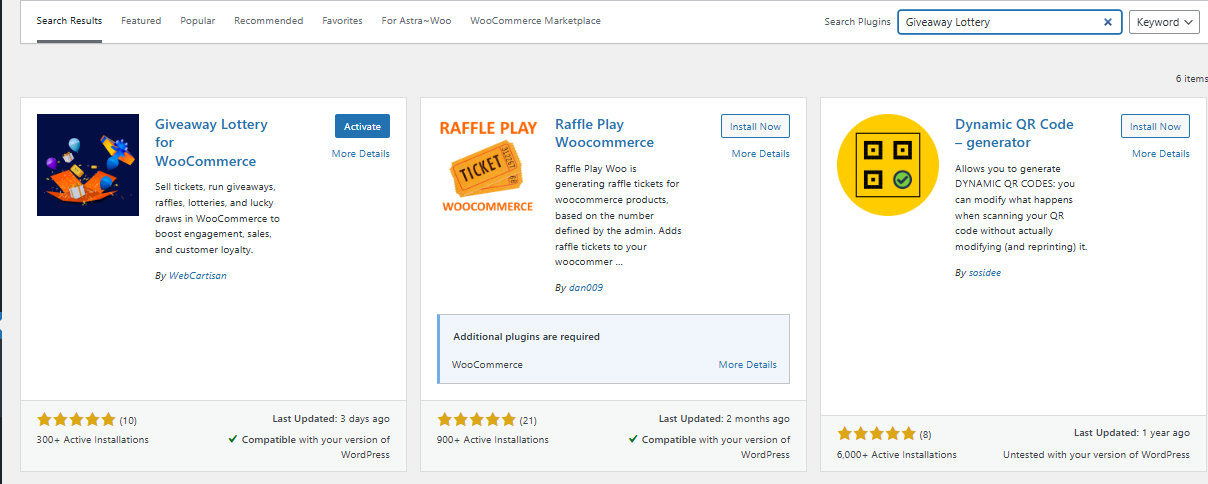
WordPress plugin search results for giveaway and raffle tools.
First, install and activate the Giveaway Lottery for WooCommerce plugin from your WordPress dashboard. Then navigate to Giveaway Lottery > Lucky Wheel > Layout Settings. Add wheel slices by entering prize labels, coupon codes, and winning probabilities for each section, such as 60% chance for free shipping, 25% for 10% off, 10% for 20% off, and 5% for a jackpot prize.
Next, choose where the wheel should appear in your store. Options include the product page, cart page, checkout page, or via a short-code that you can embed anywhere on your site. To prevent abuse and coupon farming, set limit rules such as one spin per email address or per IP address. Finally, configure coupon expiry dates to create urgency, for example, by limiting prize usage to 48 hours after the spin.
Step 3: Customize the Lucky Wheel Design and Layout
In the Layout Settings tab, you’ll find all the options to design your lucky wheel. Here you can choose the wheel’s color scheme, adjust slice labels, and set the size and animation style to match your store’s look and feel.
You can also manage how and when the wheel appears, including enabling the exit-intent trigger so the widget shows when a visitor is about to leave the page. To ensure compatibility, use the mobile preview option in the settings to check how the wheel looks on smaller screens before going.
Step 4: Set Up Your Spin Wheel Giveaway Winners
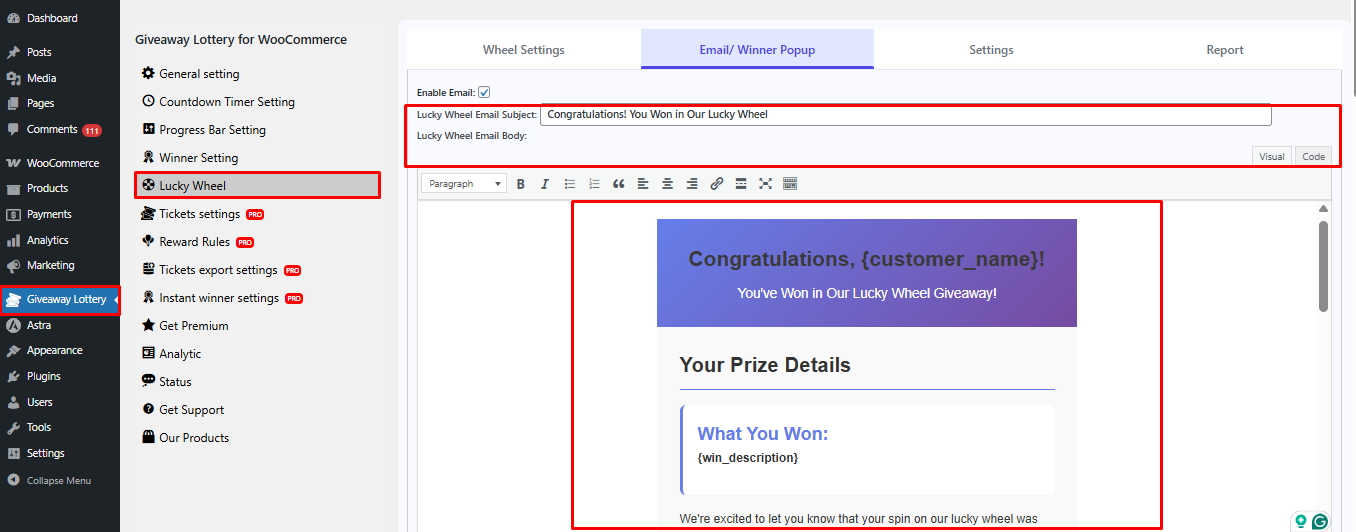
Once your wheel is configured, head to Giveaway Lottery > Lucky Wheel > Email / Winner Settings in your WordPress dashboard to set up how winners are notified.
Here you can configure the winner email subject line and body text, including dynamic fields such as the winner’s name and prize details. You can also enable and customize the on‑screen winner reveal, which shows a congratulatory message after the spin and can include a button that links directly to the cart or checkout page.
Step 5: Launch the Online Giveaways and Monitor
Once you’ve finished designing the wheel and setting up winner notifications, go to Giveaway Lottery > Lucky Wheel and toggle the wheel status to Active. Before going live, test the wheel on a staging site or in a private browser to make sure it displays correctly, triggers properly, and sends winner emails as expected.
When everything is working as intended, your spin‑wheel giveaway is ready to run live in your store. Keep an eye on entries and winner notifications through the plugin’s logs or your email reports to ensure smooth performance.
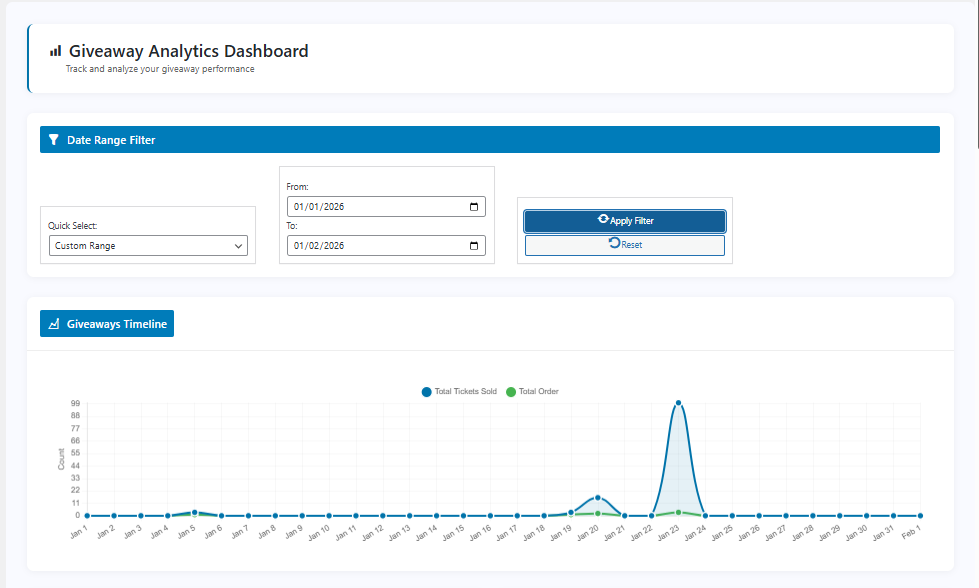
Once your wheel is live, head to the Analytics Page inside Giveaway Lottery for WooCommerce to track your campaign performance. You can also review prize distribution and check coupon redemption rates directly from the winner and coupon logs. For a full picture, cross‑reference this data with your WooCommerce analytics dashboard, then return to the wheel settings to adjust prize probabilities and offers if needed.
Boost Conversions with Free Random Lucky Wheel Tools
Lucky wheel giveaways are no longer just a novelty; they are a proven, low-cost strategy that turns passive store visitors into engaged buyers. Whether you are running a one-off social media giveaway or building a long-term WooCommerce promotional campaign, there is a tool on this list that fits your exact needs.
To quickly recap what we covered:
- Giveaway Lottery for WooCommerce is a free, all‑in‑one lucky wheel and giveaway plugin built for WooCommerce stores.
- Online tools like Wheel of Names, PickerWheel, and Wheel Decide are perfect for quick giveaways, live events, and social media contests with almost no setup.
- Several WooCommerce plugins, such as Spin Wheel for WooCommerce and WP Optin Wheel, support gamified spin‑to‑win mechanics with configurable settings.
Ready to turn your store visitors into buyers? Whether you are just getting started with gamification or looking to upgrade your current setup, a lucky wheel giveaway is one of the fastest ways to boost engagement and drive real sales without extra ad spend.
Stay connected for more WooCommerce tips, giveaway strategies, and plugin updates:
Subscribe to our blog for in‑depth tutorials and guides.
Frequently Asked Questions (FAQs)
A lucky wheel giveaway is a gamified promotional campaign where participants spin an interactive wheel to win prizes such as discount coupons, free products, free shipping, or bonus loyalty points. The outcome of each spin is determined by a random winner algorithm, with each prize slice assigned a configurable probability percentage.
Many tools offer a free tier. Online tools like Wheel of Names, PickerWheel, and Wheel Decide are completely free with no account required. For WooCommerce stores, Giveaway Lottery for WooCommerce offers a fully functional free version, including the Lucky Wheel System, with Pro features such as Reward Rules and Instant Win starting at $89/year.
For small, informal giveaways, online tools like Wheel of Names are sufficient simply to enter all participant names and spin. For WooCommerce stores requiring an auditable, provably fair selection, Giveaway Lottery for WooCommerce uses a cron-job-based random generator that draws automatically at the set time, logs all entries, and publishes results on a public winner announcement page.
Yes. Giveaway Lottery for WooCommerce supports multiple placement options for its lucky wheel, including product pages, cart, checkout, and anywhere on your site via the shortcode [wcs_lucky_wheel]. See our guide on WooCommerce Lottery Shortcodes for full embedding instructions.
Between 6 and 10 slices is the sweet spot for visual balance and excitement. Include a mix of high-frequency smaller prizes (e.g., free shipping at 50% probability) and low-frequency high-value prizes (e.g., 30% off at 3% probability) to maintain engagement without making the wheel unprofitable. Always set an expiry date on won coupons to control redemption timing.