

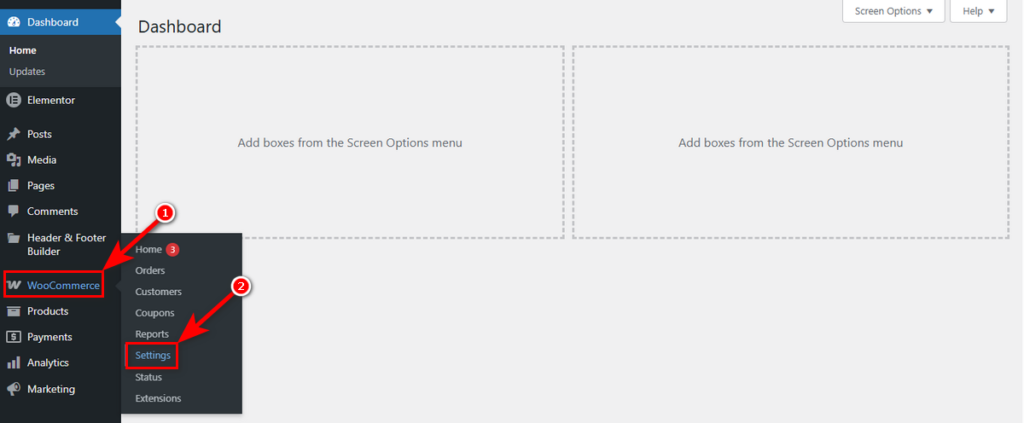
You can access these options by navigating to WooCommerce > Settings.
Then, click the Variation Monster tab.
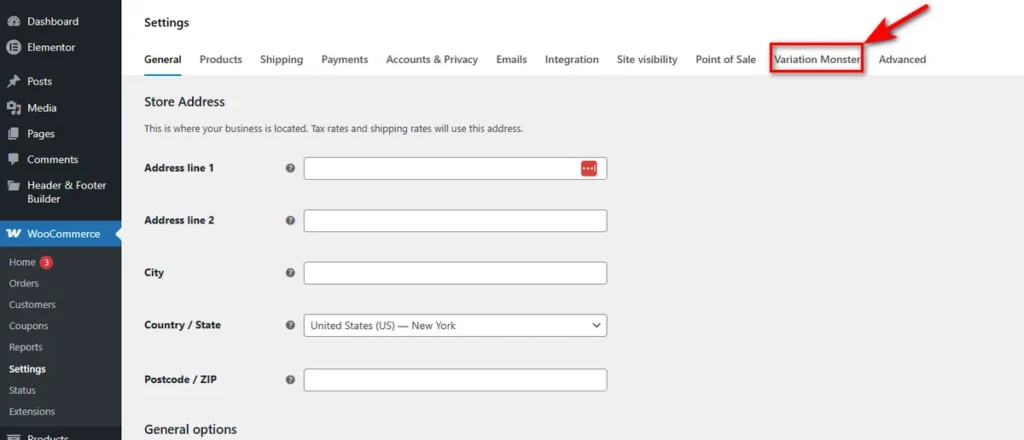
Now, you can see all the settings of Variation Monster. Let’s get started with the first one: General Setting
Controls under the General Setting work as the master style sheet for your interactive elements, ensuring consistency whether a customer is viewing a Variation List or a quick cart carousel.