Hot Deal

Spin & Grab 100% OFF

Get Powerful Gift Card Plugin & More Exciting eCommerce Tools Limited time

00 Days
00 Hrs
00 Min
00 Sec
Claim now

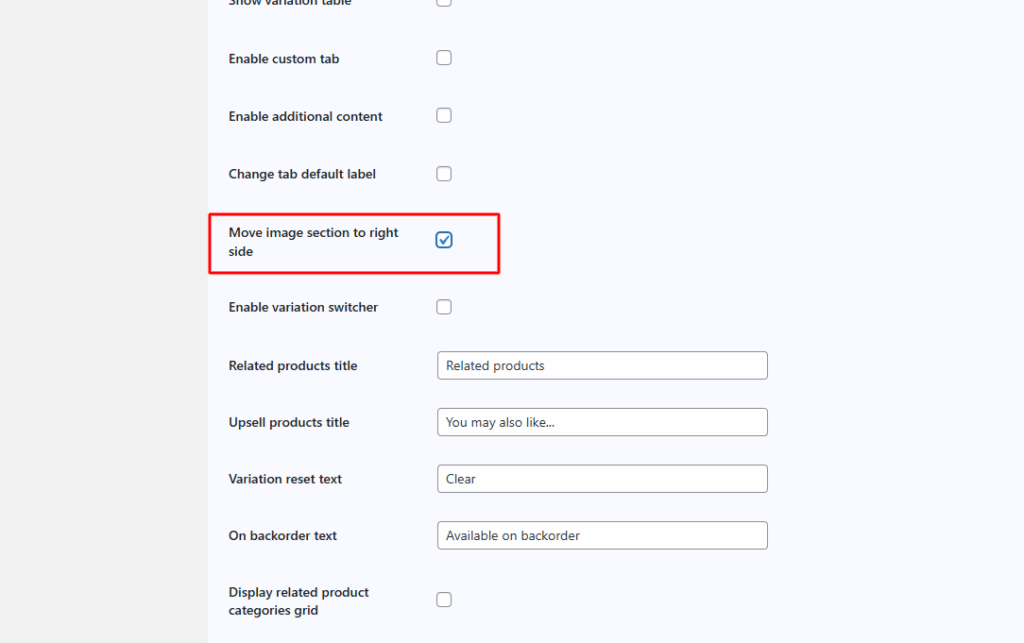
Move image section to right side

  1. Home
  2. Docs
  3. WooCommerce Product Page ...
  4. Advance Settings
  5. Move image section to right side

Move image section to right side

Sometimes, we want the product image to appear on the left side, but WooCommerce displays it on the right side by default. By using the Single Product Page Customizer plugin, you can easily control the image gallery layout and switch it from right to left.

We can modify the image section, like left to right by using this single product page customizer plugin.
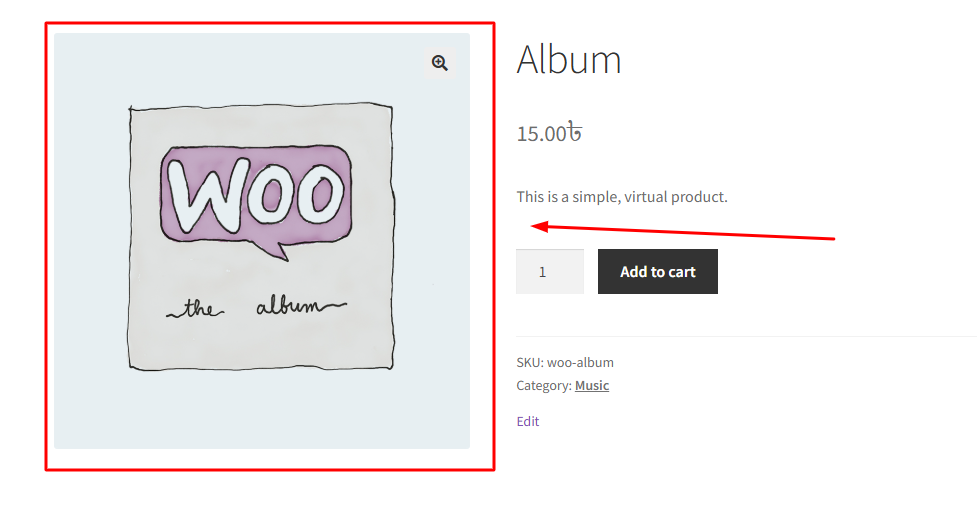
WooCommerce default image section left side in single product page.
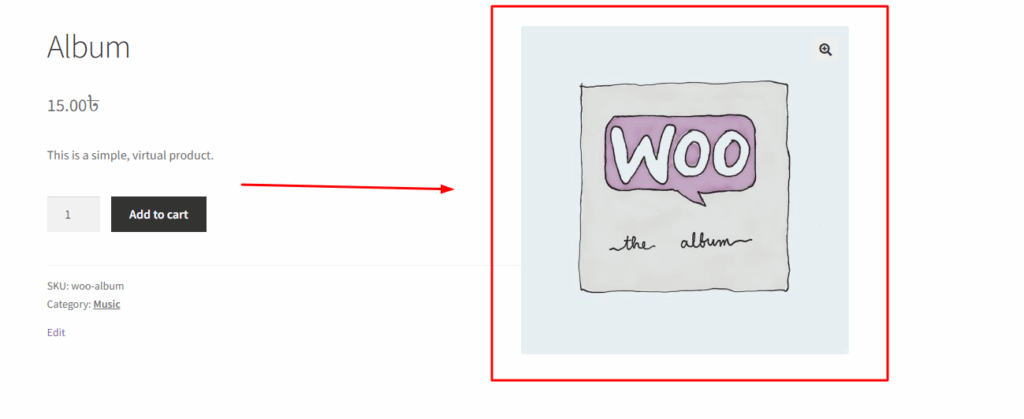
After enabling “Move image section to right side”
How can we help?

Leave a Reply

Wait…

Spin & grab 100% off

Check your luck — grab exclusive discounts on advanced Woo plugins, or better luck next time.

Click to Win
No spam. Limited-time offer.