

We want our site to be a compact, engaging, and fun place for customers, making it easier for them to buy products. One way to do this is by changing the sales badge text to better match your store’s style. However, sometimes changing this text can be difficult.
With the Single Product Page Customizer plugin, it becomes very easy. You can simply update the sale badge text directly from the settings, helping your site connect better with your customers.
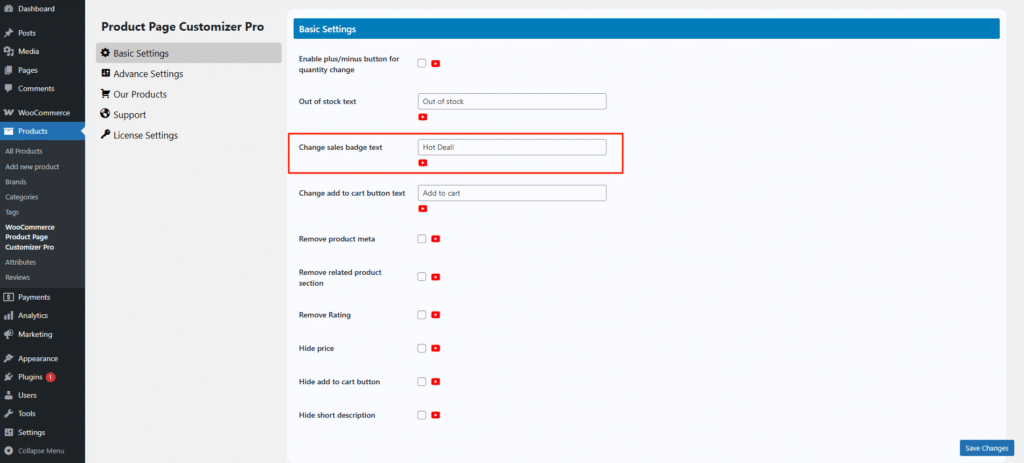
Before changing the sale badge text, WooCommerce shows the default sale badge text “SALE!”

After changing the sale badge text on a single product page.
