Hot Deal

Spin & Grab 100% OFF

Get Powerful Gift Card Plugin & More Exciting eCommerce Tools Limited time

00 Days
00 Hrs
00 Min
00 Sec
Claim now

How to Change Quantity Border Color

Variation Monster for WooCommerce

⌘K
  1. Home
  2. Docs
  3. Variation Monster for Woo...
  4. General Setting
  5. How to Change Quantity Border Color

How to Change Quantity Border Color

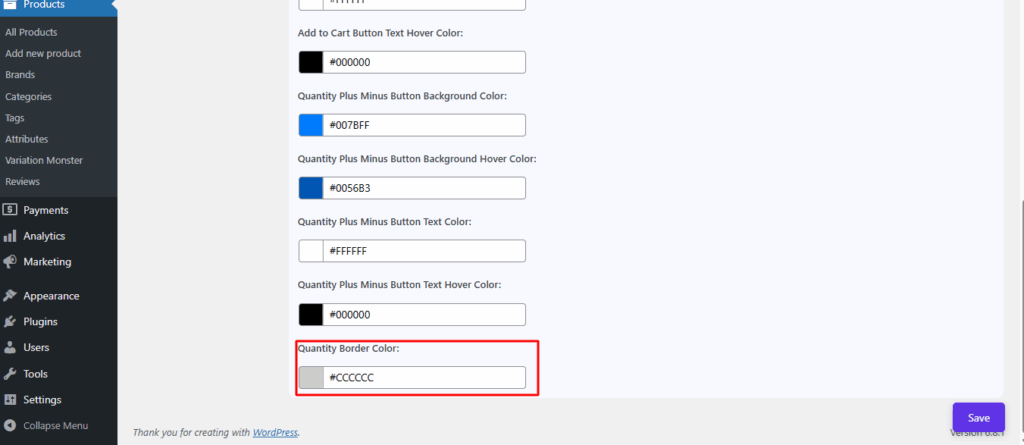
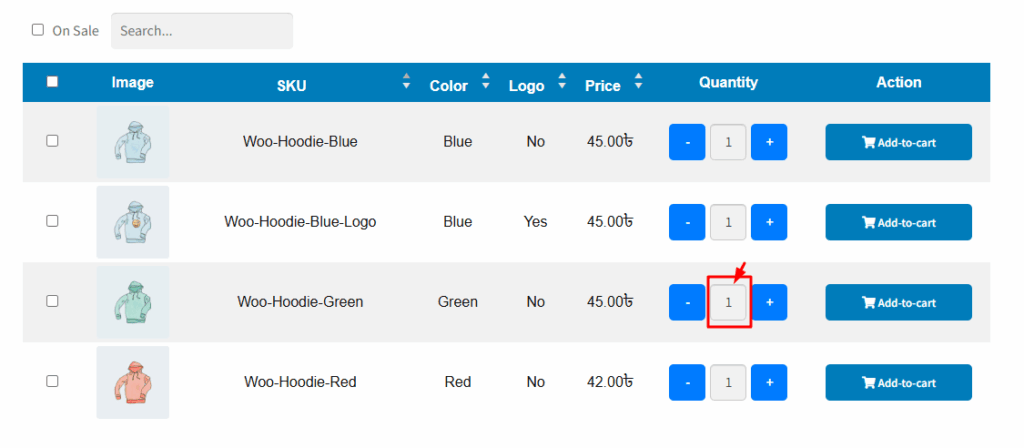
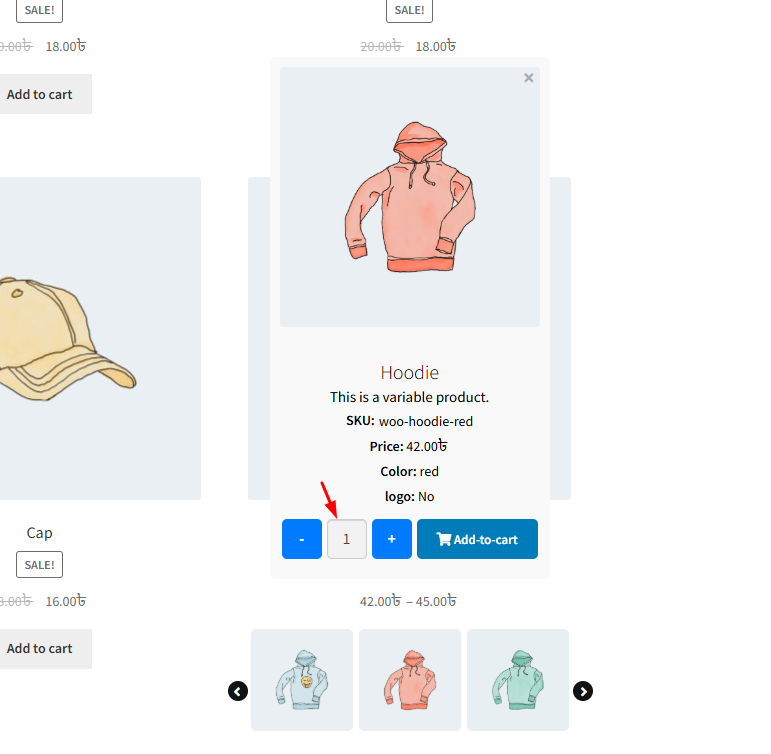
In the Variation Table for WooCommerce, including the quick cart where users can change the quantity, this setting controls the color of the border around the quantity input box (where users choose how many items to add to the cart), allowing you to customize it to match your site’s design and branding.
Here is the frontend show for the variation table for WooCommerce single product page.
Here is the frontend show for the quick cart carousel in WooCommerce shop page
How can we help?

Leave a Reply

Wait…

Spin & grab 100% off

Check your luck — grab exclusive discounts on advanced Woo plugins, or better luck next time.

Click to Win
No spam. Limited-time offer.