Spin & Grab 100% OFF

Get Essential Woo Plugins That’ll Boost Sales & Retention. Limited time

Days
Hours
Minutes
Seconds

Show Weight & Dimensions for Table Template Two

Variation Monster for WooCommerce

⌘K
  1. Home
  2. Docs
  3. Variation Monster for Woo...
  4. Table Setting
  5. Show Weight & Dimensions for Table Template Two

Show Weight & Dimensions for Table Template Two

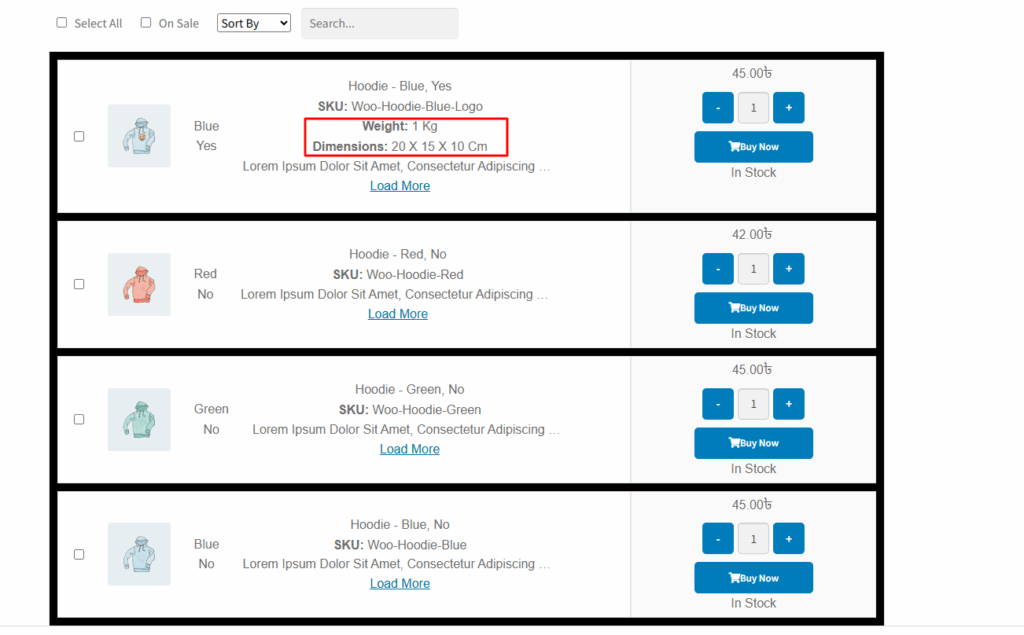
The “Show Weight & Dimensions” setting allows you to display the weight and dimensions (length, width, height) of each variation in the variation table when using Template Two. This is particularly useful for stores selling physical products where shipping costs or space requirements depend on product size and weight.

When this option is enabled, an additional column will appear in the table, showing the weight and dimensions set for each variation. If disabled, this information will not be shown.
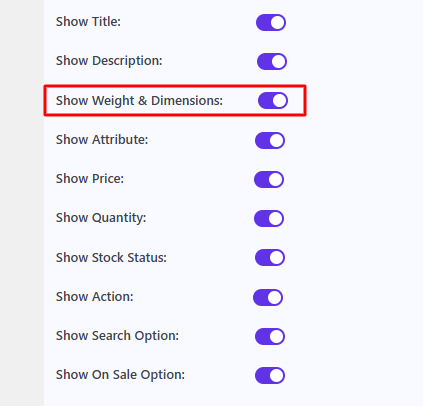
After checking this, it appears as shown in the image below.
How can we help?

Leave a Reply

Wait…

Spin & grab 100% off

Check your luck — grab exclusive discounts on advanced Woo plugins, or better luck next time.

Click to Win
No spam. Limited-time offer.
//