Hot Deal

Spin & Grab 100% OFF

Get Powerful Gift Card Plugin & More Exciting eCommerce Tools Limited time

00 Days
00 Hrs
00 Min
00 Sec
Claim now

Add to Cart Icon Change with Image Link

Variation Monster for WooCommerce

⌘K
  1. Home
  2. Docs
  3. Variation Monster for Woo...
  4. General Setting
  5. Add to Cart Icon Change with Image Link

Add to Cart Icon Change with Image Link

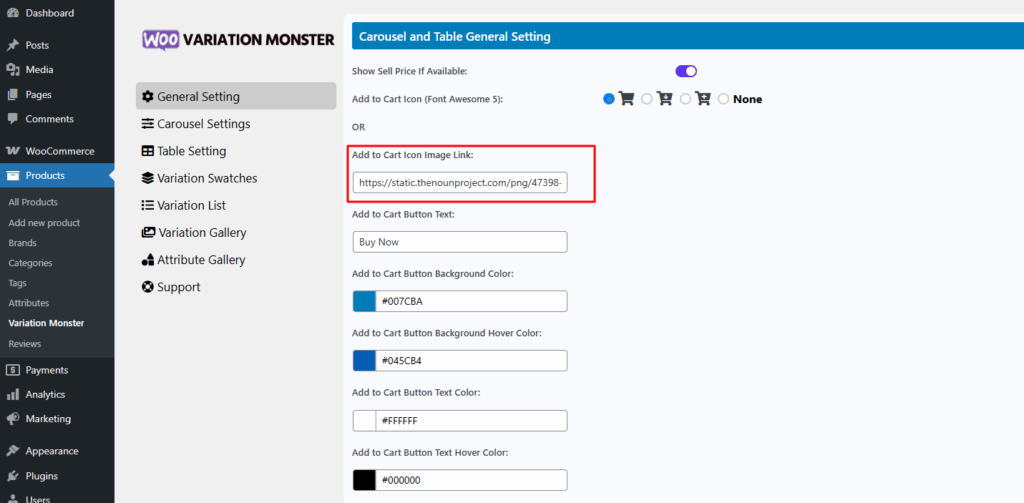
You can customize the Add to Cart icon by choosing from 4 built-in Font Awesome icons included with the plugin. If you’d prefer to use your own image instead of an icon, simply paste the image URL into the provided input field. When an image URL is entered, the default icon will be replaced, and your custom image will be displayed as the button icon.
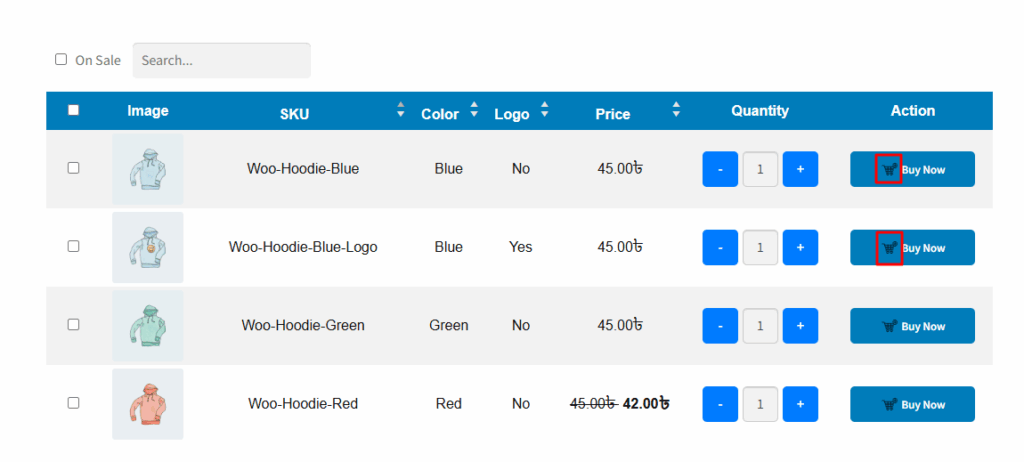
This is how the Add to Cart icon appears on the frontend. It will be displayed in the variation table and everywhere the Add to Cart button is used.
How can we help?

Leave a Reply

Wait…

Spin & grab 100% off

Check your luck — grab exclusive discounts on advanced Woo plugins, or better luck next time.

Click to Win
No spam. Limited-time offer.