Spin & Grab 100% OFF

Get Essential Woo Plugins That’ll Boost Sales & Retention. Limited time

Days
Hours
Minutes
Seconds

How to Change Table Head Text Color

Variation Monster for WooCommerce

⌘K
  1. Home
  2. Docs
  3. Variation Monster for Woo...
  4. Table Setting
  5. How to Change Table Head Text Color

How to Change Table Head Text Color

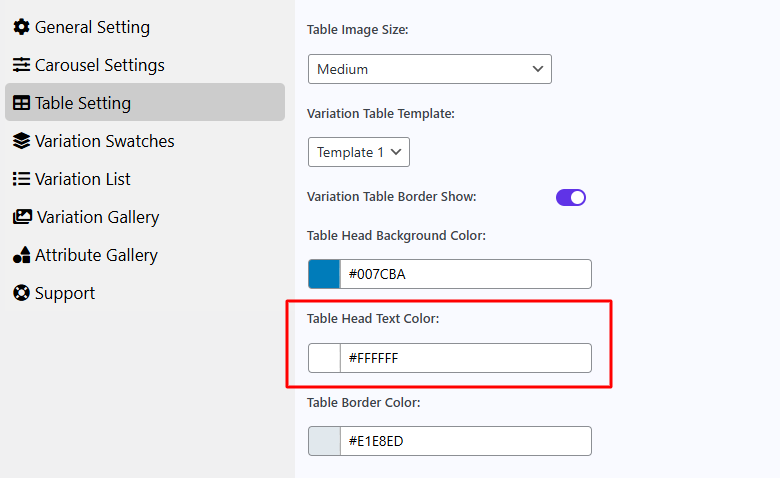
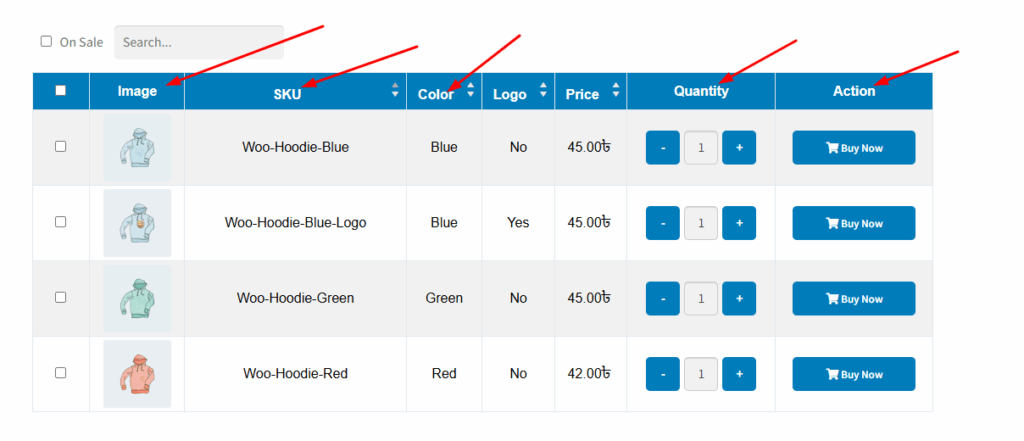
The “Table Head Text Color” setting allows you to customize the color of the text displayed in the header row of the variation table. This includes column titles such as “Image,” “SKU,” “Price,” and other headings depending on your configuration.

By changing the table head text color, you can ensure that the header content is clearly visible and matches your site’s branding for a consistent and professional look.
After changing the color, it appears on the table head as shown in the image below.
How can we help?

Leave a Reply

Wait…

Spin & grab 100% off

Check your luck — grab exclusive discounts on advanced Woo plugins, or better luck next time.

Click to Win
No spam. Limited-time offer.
//