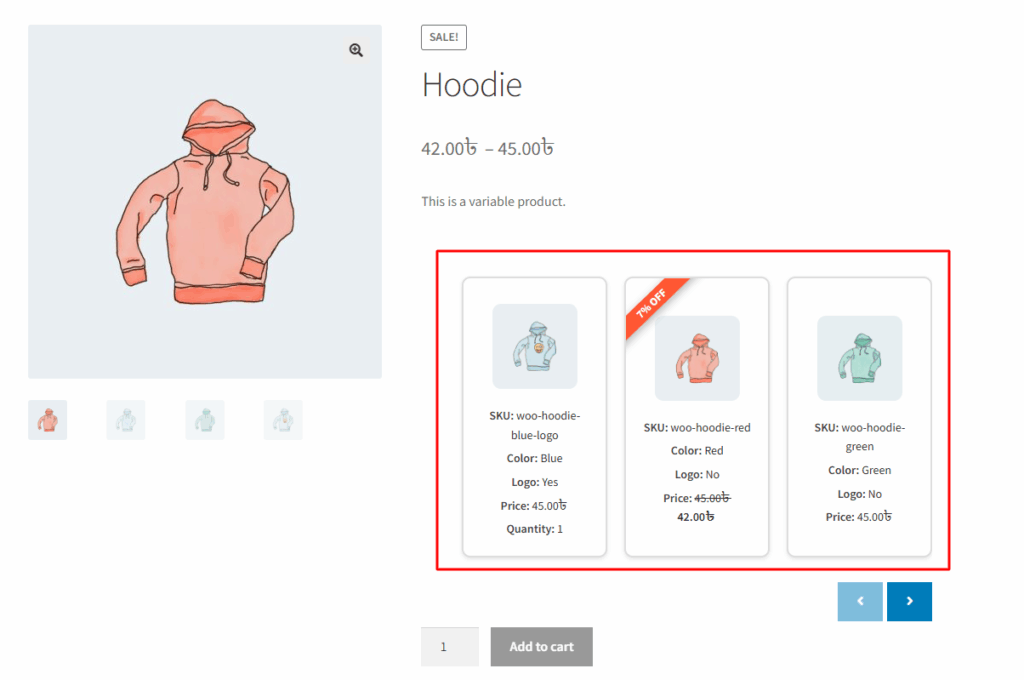
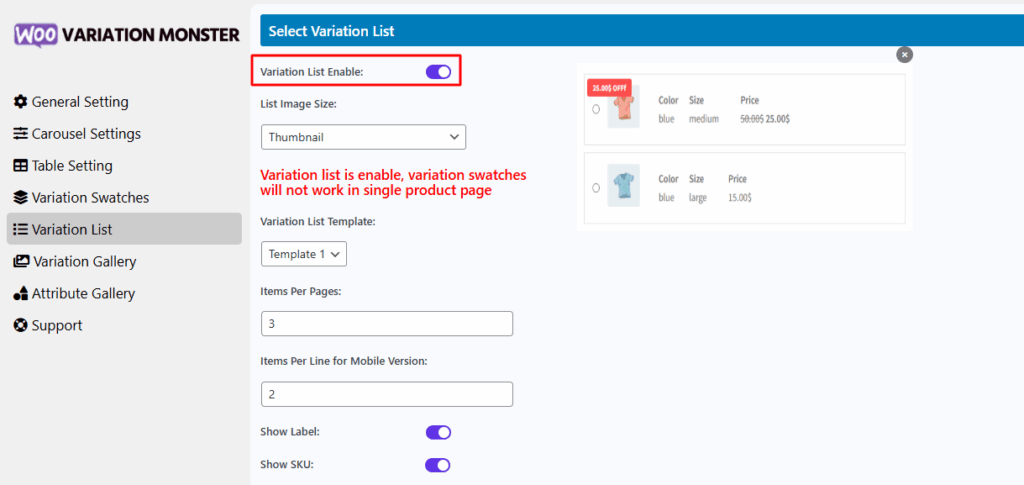
The Enable Variation List option in the Variation Monster plugin allows you to replace traditional variation swatches with a clean and structured variation list layout on the single product page. When this feature is enabled, swatches will be disabled for the single product page, and instead, a list view will appear showing detailed variation data such as images, prices, SKUs, stock status, and more. This setup is especially useful for stores with many variations, making it easier for customers to browse and select their desired options in a tabular or card-style layout.
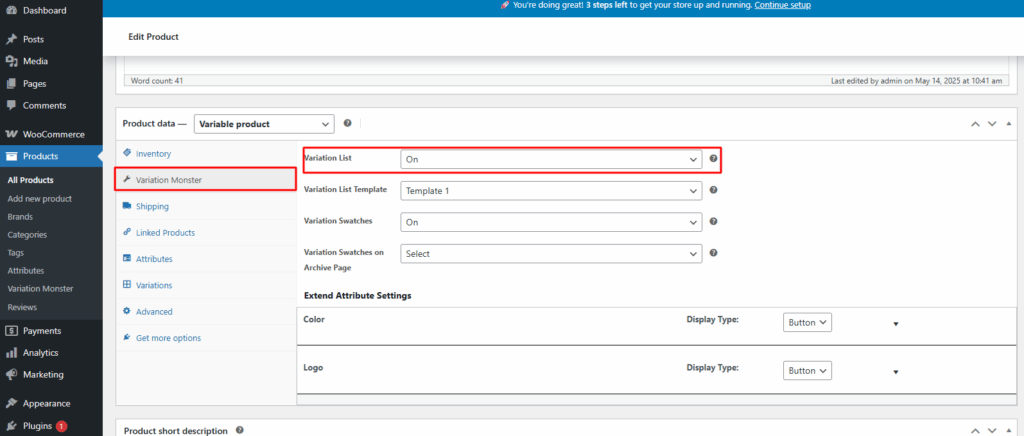
You can also configure it through the product data panel, allowing you it for each individual product.
After enabling it, it shows like the image below