Hot Deal

Spin & Grab 100% OFF

Get Powerful Gift Card Plugin & More Exciting eCommerce Tools Limited time

00 Days
00 Hrs
00 Min
00 Sec
Claim now

How to Configure Flat Label

Variation Monster for WooCommerce

⌘K
  1. Home
  2. Docs
  3. Variation Monster for Woo...
  4. Variation List Settings
  5. How to Configure Flat Label

How to Configure Flat Label

In the Variation Monster plugin, when displaying a discount as a flat amount (e.g., “50 OFF”), the default label is set to “OFF”. If you want to replace this with a different word or phrase, such as “SAVE” or “DISCOUNT”, you can do so using the Flat Label setting. This customization helps you better align the badge text with your brand tone or promotional language across the variation list on the single product page.
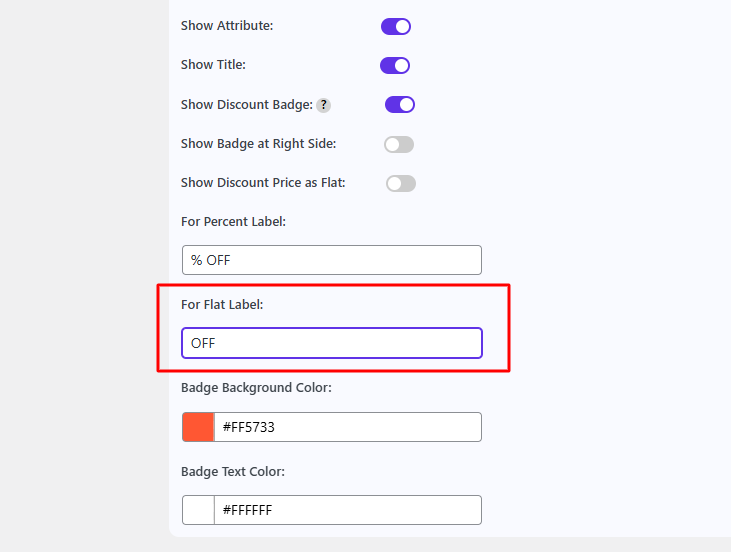
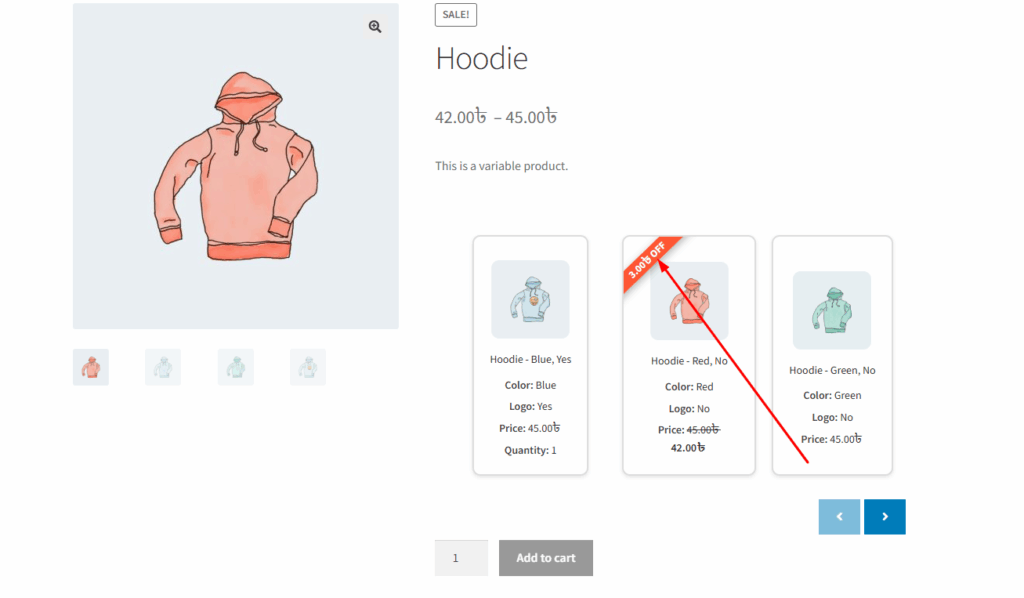
After changing this flat label, you can show it in your single product page like the image below.
How can we help?

Leave a Reply

Wait…

Spin & grab 100% off

Check your luck — grab exclusive discounts on advanced Woo plugins, or better luck next time.

Click to Win
No spam. Limited-time offer.